
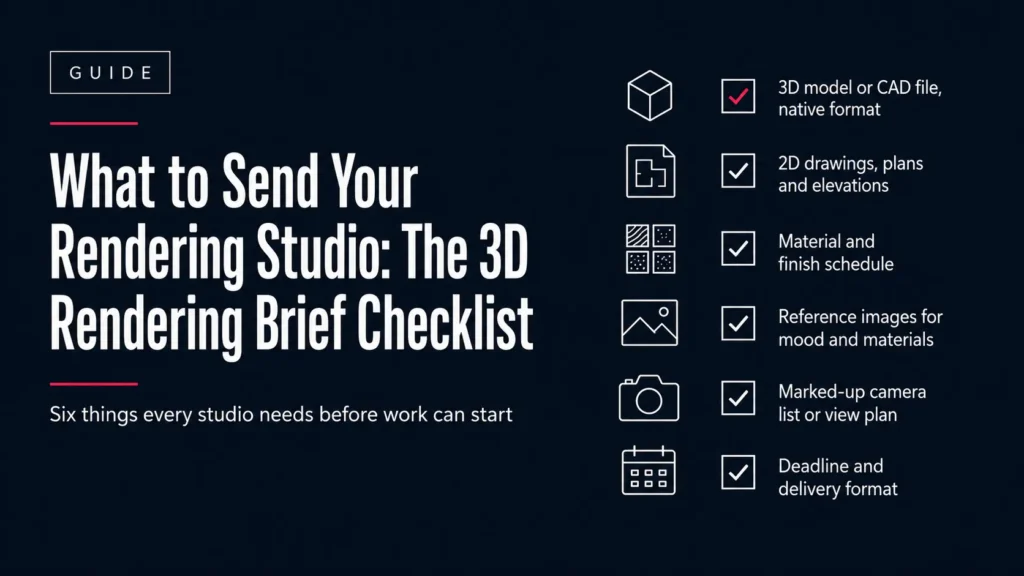
3D rendering brief checklist showing what files to send an architectural visualization studio
Guide

What to Send Your Rendering Studio: The Complete 3D Rendering Brief Checklist

A studio once sent us a 340 MB Revit file, a photo of a hand sketch, and the words “make it look nice, need it Friday.” We shipped on Friday. The first draft was wrong in four separate ways, and every one of them traced back to something nobody had written down. The model was fine. The brief was the problem. A 3D rendering brief is a short written document that tells a visualization studio what to build, what to show, and what to deliver, covering the source files, the camera list, the materials, and the output specification. It is not a design description, which explains your intent, but a production specification, which removes the studio’s need to guess. The distinction matters because guesses are expensive. Every unstated assumption becomes a revision round, and revision rounds land on your deadline rather than the studio’s. A good brief is not paperwork. It is the cheapest insurance available on a rendering project. Ten minutes of writing saves three days of correcting. What is a 3D rendering brief? A brief answers five questions before anyone opens a 3D application: what is the building, what views do you want, what do the surfaces look like, what files do you need back, and when. That is the whole job. Everything else is detail hanging off those five. Studios that ask for a brief are not being bureaucratic. They are trying to price the work accurately and avoid the conversation where you say “that is not what I meant” three days before a tender goes out. A studio that does not ask for one is either very experienced with your practice or about to guess. The American Institute of Architects makes the same argument about owner-architect agreements: scope of services and deliverables have to be written down, or the dispute simply arrives later at a worse moment. A rendering brief is that principle applied to a much smaller contract. What files does a rendering studio actually need? Six things, and only the first is genuinely mandatory. The rest reduce the number of decisions the studio has to make on your behalf. Read the right-hand column first. If you can send the native file from your own software, send it. Converted files lose information every time they change hands, and the studio then spends billable time rebuilding what the export dropped. What to send Why the studio needs it Acceptable formats 3D model or CAD geometry The base for everything. Without it there is no project RVT, SKP, PLN, 3DM, DWG, FBX, IFC, OBJ, MAX 2D drawings: plans, elevations, sections Confirms dimensions and catches model errors PDF, DWG, DXF Material and finish schedule Stops the studio inventing your specification PDF, XLSX, supplier links, photos Reference images Communicates mood and lighting faster than words JPG, PNG, Pinterest board, PDF Camera list or marked-up plan Defines the deliverable count. This is the scope PDF markup, sketch, screenshot, view names Site context, if the setting matters Determines what appears around the building Photos, survey, DWG site plan, map link If you only have a sketch and a floor plan, say so. A studio can work from very little, but it needs to know that up front so it prices modelling time rather than assuming a finished model is coming. Which format should you export from your software? This is the table most briefing guides skip, and it is the one that saves the most time. Native beats converted in almost every case, because conversion is where geometry, materials and units quietly go wrong. Your software Send this What survives What usually breaks Revit RVT native, or FBX from a 3D view Geometry, levels, family names Materials often need rebuilding SketchUp SKP native Geometry, groups, components, textures Very little. Best case for archviz ArchiCAD PLN native, or IFC Geometry, storeys, element data Surface finishes and textures Rhino 3DM native Precise NURBS geometry, layers Materials. Rhino materials rarely transfer AutoCAD DWG, plus PDF of sheets 2D linework, dimensions, layers No 3D unless the model is 3D solids 3ds Max MAX native, plus texture folder Everything, if textures are included Missing texture paths on the studio’s machine Vectorworks VWX, or IFC and DWG Geometry and layer structure Renderworks materials Any BIM tool IFC as the fallback Geometry and object data reliably Appearance. IFC carries data, not looks On that last row: IFC is published by buildingSMART and standardised as ISO 16739, which makes it the most dependable neutral format for geometry and building data. It is not a good carrier of visual appearance, so treat an IFC as a reliable shell that still needs its materials specified separately in the brief. For Revit specifically, Autodesk documents both routes: exporting a 3D view to DWG with ACIS solids and exporting to FBX for 3ds Max. FBX from an open 3D view is usually the better handoff for rendering work. Not sure what your file will lose in translation? Send it and we will tell you before quoting. Talk to Archvizly What breaks a model before it reaches the studio? Five things, and all five are fixable in under ten minutes by the person who built the model. None are fixable quickly by the person receiving it. Wrong or mixed units. A model built in millimetres opening as metres arrives a thousand times too big. Set and confirm units before export. This is the single most common handoff failure. Geometry far from the origin. Models georeferenced to real-world coordinates can sit kilometres from 0,0,0, which causes visible flickering and precision errors in render engines. Move the model near the origin, or tell the studio the offset. Unpurged files. That 340 MB Revit file was mostly deleted families and unused views. Purge unused before exporting. Files routinely drop by half. Missing textures. Custom materials reference image files on your machine. Send the texture folder alongside the model, or the studio opens a grey building. No indication of scale. Include one known dimension, a door height,
Architect reviewing a render after deciding to outsource architectural rendering before a competition deadline
Guide

Outsource Architectural Rendering: How to Clear the Bottleneck Without Losing Control (2026)

It’s 9pm on a Thursday and the competition board is due Monday. The design is resolved, but nobody on the team has slept, and the renders still aren’t started. That gap between “design done” and “visuals ready” is where most submissions get lost. Outsource architectural rendering means hiring an external studio to build the model, render the views, and deliver final files to your spec, while your firm keeps every design decision. This is not offloading design. The studio runs production; you still choose the massing, the materials, and the camera angles. The word “outsource” here usually means the peaks, not the whole function: the competition crunch, the launch week, the quarter when three projects hit visualization at once. The value loop is plain: your deadline sets the schedule, not your single in-house seat. Capacity on demand. Architecture has a workload problem that makes this timely. The RIBA Workplace and Wellbeing Report found that 90% of practice employees regularly work overtime, with the average employee logging 44 hours a week. Rendering is often the task that pushes those hours past the line. What is outsourcing architectural rendering? Outsourcing architectural rendering is the practice of contracting an external studio to produce a firm’s visualizations, from 3D model through to final images, animations, and virtual tours delivered to spec. The firm briefs the work and approves it. The studio does the production. It sits next to a broader field. Architectural rendering, also called architectural visualization, is the craft of turning a proposed design into images or animations before anything is built. Outsourcing is simply who does that craft: an outside team instead of an internal one. Two terms cause confusion, so lock them down. White-label rendering means the studio’s name never appears. The client relationship, the branding, and the credit stay with you. Archvizly built its whole model on this. See how it ran an overflow rendering bench for a Barcelona visualization studio whose output had to be indistinguishable from work made in-house. Production means the technical build: modeling, texturing, lighting, rendering, and post. It is not design. Design stays with the architect. Draw that line clearly and the rest of the decision gets easier. Need render capacity that scales with your deadline instead of your headcount? See how a white-label bench works Why do architecture firms hit a rendering bottleneck? An in-house visualization seat is fixed capacity meeting variable demand, and the mismatch is the whole problem. One visualizer can output a steady number of views per week. Project deadlines refuse to arrive at a steady rate. Submissions cluster. Competitions, planning applications, launches, and client pitches all pull toward fixed dates. Rendering demand spikes on exactly those dates. Revisions stack on top. A design change late in the week does not wait its turn; it lands on the same person already at capacity. Then the maths gets unforgiving. When one seat is the constraint, the entire submission moves at the speed of that seat, no faster. Add a second competition in the same window and something slips. That is why the global 3D rendering market was valued at $4.5 billion in 2025 and is projected to reach $19.8 billion by 2033, a 19.6% compound annual growth rate, with the architecture sector showing the highest demand for photorealistic visualization (Grand View Research). More renders per project, same number of hours in the week. The bottleneck is structural. When should you outsource rendering, and when should you not? Outsource when the workload is spiky or larger than your team can absorb, and keep it in-house when the work is small, constant, and tightly coupled to live design. That single rule prevents most bad calls. Outsourcing earns its keep in four situations: A competition or tender that needs a full render set inside a fixed window. Overflow when several projects reach visualization at once, like the tender site-plan and massing set a contractor needs alongside everything else in the pipeline. A capacity gap you don’t want to solve with a permanent hire. A style or output volume beyond your in-house range, such as a full interior presentation set for a luxury villa on a compressed timeline. Keep it in-house when the design is still moving fast and the render is a working tool, not a deliverable. Early-stage massing studies that change hourly don’t belong with an external team; the coordination cost eats the time saved. Here’s the uncomfortable truth most studios won’t tell you: outsourcing a design that isn’t locked will cost you more than doing it yourself. Garbage in, garbage rendered. How does outsourced rendering work, step by step? The process is a relay, and every handoff is a place to lose time or protect it. A clear brief up front is what keeps the baton moving. A typical project runs in six steps. Brief. You send drawings or a model, references for materials and mood, the views you need, and the deadline. Model. The studio builds or cleans the 3D model from your files. Draft. A grey or clay render confirms camera angles and composition before any detail work. Materials and lighting. The studio applies finishes, sets the time of day, and lights the scene. Revision rounds. You mark up the draft; the studio revises within the agreed number of rounds. Delivery. Final files arrive in the formats you specified. On timing, a single still view typically takes 48 to 72 hours of production once the model is built, including one revision round. End to end, counting intake, your own review and final delivery, the same image is usually 3 to 7 business days. Both figures are correct and they measure different things, which is the main reason published rendering timelines appear to contradict each other. The full breakdown of where the time actually goes separates the two properly. A full set is scheduled backwards from the deadline, which is why locking drawings early is the single most useful thing you control. Miss the draft-approval step and you’ll pay for it

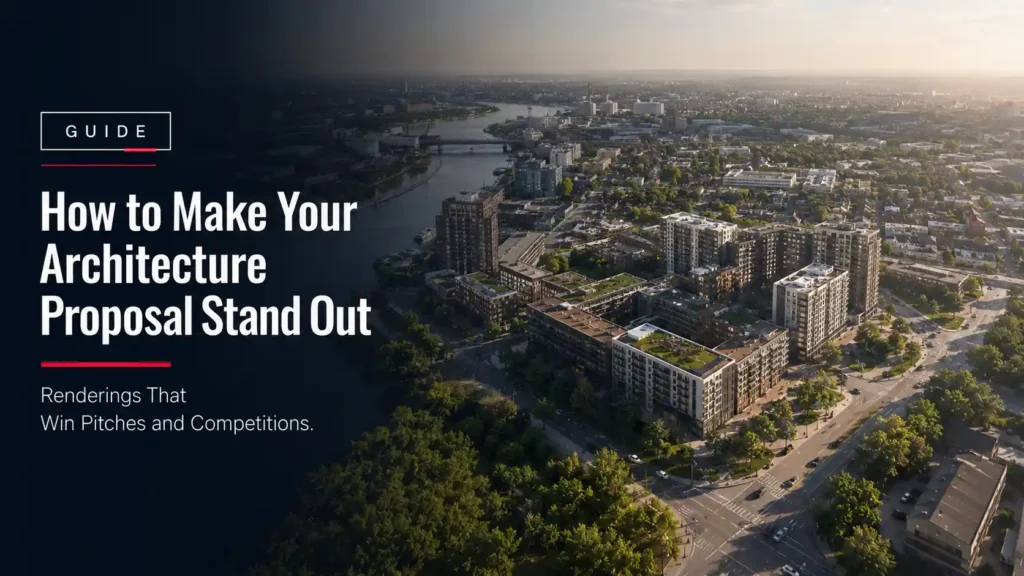
Aerial rendering of a mixed-use masterplan for an architecture competition proposal
Guide, Blog

How to Make Your Architecture Proposal Stand Out: Renderings That Win Pitches and Competitions

A Principal Architect emails a rendering partner at 11pm with a submission due in four days. The design is solid. The narrative is solid. What’s still missing is the set of images that will actually get a jury or a client to stop flipping pages and look. Architecture competition renderings are the photorealistic 3D visuals used in a proposal, RFP response, or juried design submission to show how a project will actually look and feel before it’s built. They combine an exterior or interior hero shot, supporting angles, and presentation-board layouts to give evaluators a concrete, emotional read on a design that drawings and diagrams can’t provide on their own. Not a marketing render made for a sales gallery after the design is settled, but a proposal-stage render made under a deadline, before the commission is even won. That’s the boundary line that changes everything about how the rendering work gets planned. The modifier “competition” or “pitch” matters here. It means the renders have to be accurate to a design that might still be shifting, produced fast enough to hit a submission window that doesn’t move, and consistent in style across every board in the set, because a jury comparing five firms side by side will notice if one firm’s renders look like they came from three different studios. The flywheel is simple: renders that read as credible and consistent win more trust from the jury, more trust wins more commissions, and more commissions fund a stronger portfolio for the next pitch. Renderings aren’t decoration on the proposal. They’re part of the argument. What actually makes architecture competition renderings win a jury or client vote? Evaluators, whether it’s a three-person jury or a developer’s internal committee, are reading dozens of proposals in a compressed window. Most of what they remember afterward isn’t the floor plan. It’s the image that made the project feel real. Three things separate renders that move a vote from renders that just fill a page. First, technical accuracy: materials, massing, and site context that hold up under a second look, not just a first glance. Second, narrative sequencing: a hero shot that establishes the big idea, followed by supporting angles that answer the questions a jury will actually ask (how does it meet the street, how does the entry sequence work, what does it look like at the scale a pedestrian actually experiences). Third, consistency: every board in the submission using the same lighting logic, the same level of material detail, and the same color grade, so the set reads as one confident presentation instead of a patchwork. Firms that treat renderings as an afterthought, something to generate quickly once the drawings are locked, usually end up with the third problem even when the first two are fine. A render set built without a shared brief and a shared production pipeline drifts in tone from image to image, and a drifting tone reads as a rushed proposal even when the design underneath it is strong. Haven’t AI-generated renders already commoditized architecture pitch renderings? This is the real objection, and it’s worth answering directly instead of pretending it isn’t out there. AI image generators can now produce a plausible-looking building render in seconds, and that has genuinely lowered the floor for what counts as “a rendering” in a proposal package. If the bar is just “does it look like a building,” AI tools cleared that bar a while ago. But a competition or RFP submission isn’t judged against that bar. It’s judged against technical accuracy to the actual design, consistency across a full set of boards, and reliability against a fixed deadline. That’s exactly where AI-generated concept images run out of runway. Dimension Generic AI-generated concept image Production-grade 3D rendering Design accuracy Approximates a mood or style. Cannot be traced back to the actual model, massing, or site file. A juror who cross-checks against the drawings will catch the gap. Built directly from the architect’s 3D model and site data, so every render matches the drawings it’s presented alongside. Consistency across a set Each generation is a fresh roll: lighting, material tone, and framing shift from image to image. Cannot guarantee a matched hero shot and supporting angles. One pipeline, one lighting and material setup, applied across every board, so the hero shot and supporting angles read as one presentation. Revisions under deadline Re-prompting produces a new, unrelated image rather than a controlled edit. Cannot reliably adjust one material or one camera angle without regenerating the whole shot. Scene-based edits: swap a material, move a camera, adjust a sky, inside a defined revision-round structure tied to the submission date. What it’s good for Fast internal mood exploration and early design conversations, before a submission is on the table. Client-facing and jury-facing proposal boards, RFP responses, and any presentation where accuracy and consistency will be checked. AI tools haven’t commoditized architecture pitch renderings. They’ve commoditized the low-effort version of them, and made the accurate, consistent, deadline-proof version stand out more, not less, because the gap between the two is now easier for a jury to spot. How should your rendering strategy change by pitch scenario? “Architecture proposal” isn’t one thing. A client RFP response, a juried design competition, and an investor pitch each reward a different kind of render set, and using the same approach for all three is a common reason a strong design underperforms in the room. Scenario What the evaluator is checking for What the render set should prioritize Client RFP response Can this firm execute on my brief specifically, not a generic version of the project type. Site-specific accuracy: real context, real neighboring buildings, real material palette tied to the brief. Juried design competition Does the big idea read instantly, across a room of competing boards seen for seconds each. One unmistakable hero shot plus a tightly sequenced board layout, prioritizing clarity over quantity of views. Investor pitch Is this something that will be desirable and sellable once built. The financial case, not

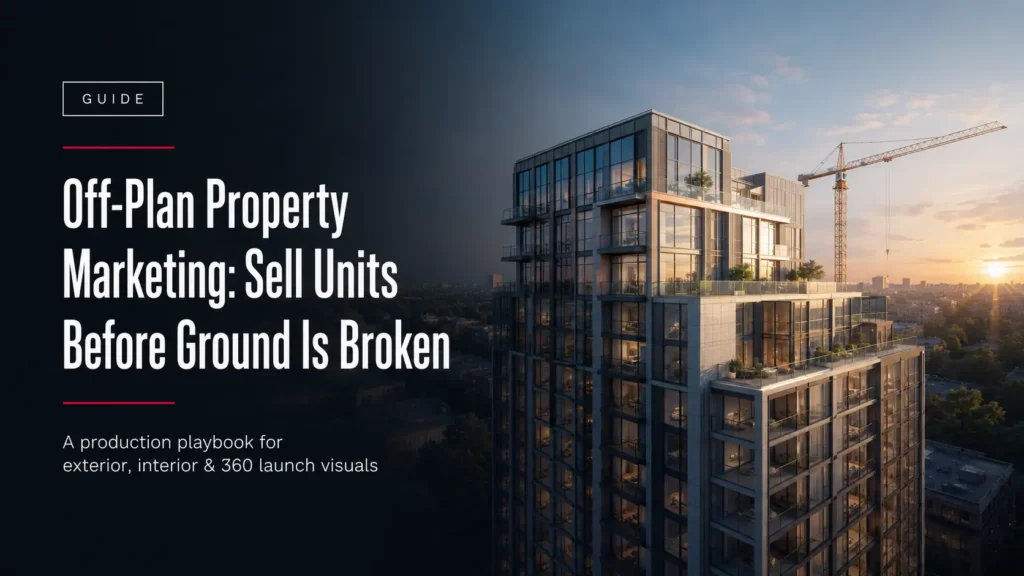
Off-plan property marketing guide cover image with an exterior tower render at dusk
Guide

Off-Plan Property Marketing: How to Sell Units Before the Ground Is Broken

Off-plan property marketing is the practice of selling units before a building is finished, sometimes before construction has started. The buyer commits based on drawings, a price, and a set of visuals. There is no physical show unit to walk through, so the visuals carry the sale. This is not a niche tactic. In Dubai, off-plan purchases accounted for around 74 percent of residential transactions between January and May 2026, according to data from property consultancy Cavendish Maxwell reported by Economy Middle East. In a market that size, buyers are already comfortable committing to a home they can only see as a render. The question for a developer is not whether off-plan selling works. It is whether your visuals win the buyer before a competitor’s do. This guide covers what off-plan marketing needs from a visual standpoint, which assets do the work, and how to plan production around a fixed launch date. What off-plan property marketing is Off-plan property marketing sells a development during the pre-construction or construction phase. Architectural drawings are turned into photorealistic visuals that stand in for a building that does not exist yet. Those visuals run across the sales gallery, the brochure, the portal listing, and the digital campaign. The developer collects reservations and deposits before completion, which funds the build and reduces sales risk. Why visuals decide the off-plan sale When there is no finished unit to view, the render is the product. A buyer cannot inspect the light in the living room, the view from the balcony, or the finish on the facade. They judge all of it from images. Generic or inaccurate renders create doubt. Accurate, photorealistic ones let a buyer picture themselves in the space and reserve a unit. There is also a compliance reason. In markets like the UAE, marketing visuals are expected to match the approved architectural drawings, so facade materials, proportions, and unit layouts have to be correct, not just attractive. The visual assets that carry an off-plan launch A launch is rarely one image. It is a set of assets, each doing a specific job across the campaign. Exterior CGI and aerial views Exterior renders show the building in its real context: street level, podium, and skyline. Aerial views show the plot, the surrounding area, and the masterplan. These are usually the hero images of a launch and are delivered as high-resolution JPEG or PNG for both print and web. Interior renders and virtual staging Interior renders show the units the buyer is actually purchasing: living spaces, kitchens, bathrooms, and the view from the window. Virtual staging furnishes an unbuilt or empty interior so the buyer sees a lived-in space instead of a bare shell, which is often the difference between a listing that reads as real and one that does not. 360 virtual tours and walkthrough animation A 360 panorama lets a remote buyer look around a room from a fixed point. A walkthrough animation moves a camera through the whole unit as a video, delivered as MP4. Both matter when a large share of off-plan buyers are overseas and decide without visiting the site. On file formats, plan for this by default: still images as high-resolution JPEG and PNG, animation as MP4, layered files as EXR when the images need further post-production, and 3D models as FBX or .blend when other vendors need to reuse the geometry. How to plan visuals around a launch date Work backwards from the launch date and build the visual production schedule first, not last. A render set is produced from architectural drawings, so production can begin before the site is ready. Once the 3D model is built, a single still view typically takes 48 to 72 hours including one revision round. Defined revision rounds keep feedback from stalling the schedule. Lock the drawings early. Late design changes are the most common cause of a missed launch. For a worked example, see how Archvizly produced a full exterior and aerial set for an off-plan tower in Dubai from architectural drawings alone, ahead of construction. Common off-plan marketing mistakes Starting visuals too late, so production competes with the launch deadline instead of leading it. Using generic renders that do not match the approved design, which creates buyer doubt and compliance risk. Relying on exteriors alone and skipping the interiors buyers are actually purchasing. Ordering a single hero image instead of a set that covers the sales gallery, brochure, portal, and social channels. Not agreeing revision rounds up front, so feedback turns into delay. Frequently asked questions How do 3D renders help sell off-plan property? They stand in for a building that does not exist yet. The buyer commits based on the visuals, so accurate, photorealistic renders of the exterior, the interiors, and the views let the buyer judge the property and reserve a unit before completion. When should a developer start producing launch visuals? As soon as the architectural drawings are close to final. Production works from drawings, not the finished site, so an early start protects the launch date. Working backwards from launch, allow time for modeling, a first render pass, and revision rounds. What file formats do you receive for an off-plan campaign? Still images as high-resolution JPEG and PNG, animation as MP4, layered files as EXR for post-production, and 3D models as FBX or .blend when other vendors need them. How long does it take to produce a launch render set? Once the model is built, a single still view typically takes 48 to 72 hours including a revision round. A full set of exteriors, aerials, and interiors is scheduled around the launch date, which is why locking the drawings early matters. Getting a launch set ready Off-plan selling depends on visuals a buyer can trust before anything is built. Plan the render set as part of the launch, not an afterthought, and start from the drawings. Archvizly is a white-label architectural visualization partner that produces exterior, interior, aerial, and 360 visuals for off-plan launches on the developer’s

Scroll to Top