
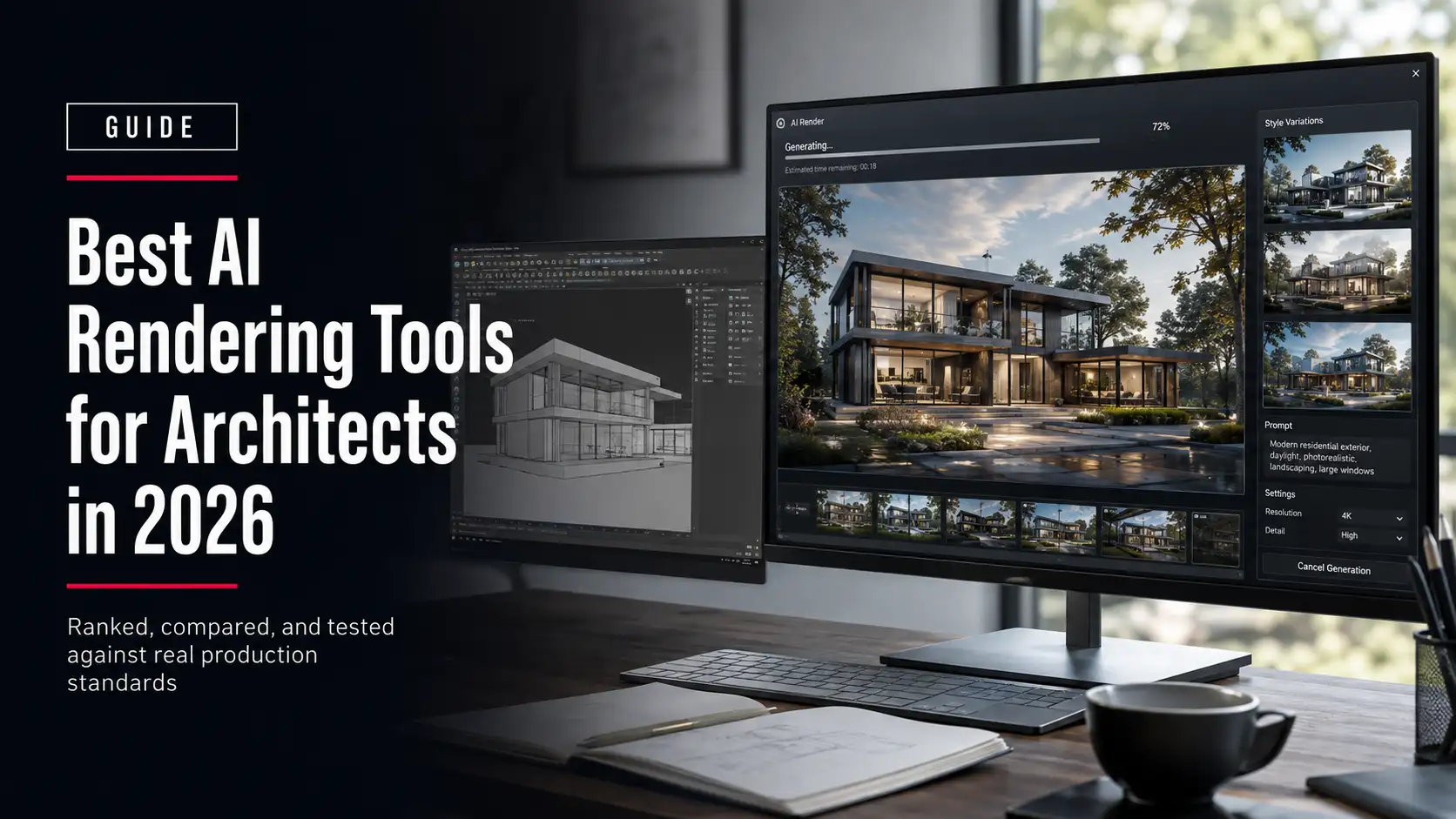
Type a floor plan description into an AI tool and you can have a rendered exterior in under a minute. That speed is real, and it has changed how architects explore early concepts. What it hasn’t changed is what happens when the image needs to survive a tender review, a planning submission, or a client who asks why the window count on the render doesn’t match the drawings.
AI rendering tools for architects are software platforms that turn a sketch, a Architectural 3D Modeling, or a text prompt into a photorealistic or stylized architectural image, using diffusion or generative AI models rather than a traditional ray-traced render engine. They compress hours of manual rendering into minutes, they let a designer test five facade materials before lunch, and they hand back an image that still needs a trained eye to check against the actual building.
Not the same thing as architectural CGI. A rendering studio starts from your real 3D model and produces a controllable, repeatable, dimensionally accurate image. Most AI rendering tools start from a prompt or a rough sketch and interpret the rest, which is exactly why they’re fast and exactly why they can drift from the actual design.
This guide ranks the AI rendering tools architects are actually using in 2026, compares them on the things that matter for a working practice (not just image quality), and covers three things most tool roundups skip entirely: what happens to your design files once you upload them, where AI rendering is genuinely safe to use versus where it can quietly cost you a tender, and how real estate developers are using these tools differently than design firms are. We produce architectural CGI for a living, so we’ve also drawn the line, plainly, between what an AI tool can do on its own and where a production team still needs to take over.
Quick Picks: The Best AI Rendering Tools for Architects
If you only read one table on this page, read this one. It matches each tool to the job it’s actually best at, not to a generic “best overall” crown that ignores how differently a solo architect and a 40-person studio work.
| Tool | Best For | Starting Price |
| Veras | BIM-integrated rendering inside Revit, SketchUp, and Rhino | Mid-tier monthly subscription per user |
| D5 Render | Real-time rendering with AI-assisted upscaling and stylization | Free community tier, paid Pro tier |
| Midjourney | Early concept art and mood boards, not dimensional accuracy | Low-cost entry tier, no free plan |
| Enscape | AI-enhanced walkthroughs for BIM-heavy teams already using it for VR review | Per-seat annual license |
| ArkoAI | In-app AI rendering directly inside SketchUp, Rhino, and Revit | Credit-based plans |
| Vizcom | Turning hand sketches into rendered concept images fast | Free tier, paid Pro tier |
| Lumion | Environment-rich visuals, landscaping, and animation | Annual license, premium tier for AI features |
| PromeAI | Versatile sketch rendering across architecture and interiors | Free tier, low-cost Standard tier |
| Stable Diffusion + ControlNet | Full control for teams willing to self-host | Free if self-hosted, low-cost cloud options |
| LookX | Free or budget entry point trained specifically on architecture | Free tier, low-cost paid tier |
How We Evaluated These Tools
Most roundups of AI rendering tools rank on image quality alone. That’s the wrong metric for a working practice. We evaluated every tool on five criteria that actually determine whether it earns a permanent spot in your workflow:
- Workflow fit. Does it work inside Revit, SketchUp, Rhino, or Archicad, or does it require exporting and re-importing images by hand?
- Geometry control. Does the tool respect your actual model, or does it interpret and sometimes invent architectural details?
- Speed to a usable image. Time from input to an image you could actually show a client, not time to a first rough draft.
- Team readiness. Seat-based pricing, shared projects, and consistent output across multiple users on the same job.
- Cost at real usage volume. What it actually costs once you’re generating dozens of images a week, not the headline free-tier number.
No tool wins on all five. That’s the point. The right pick depends on where in your process you’re using it.
The Best AI Rendering Tools for Architects, Ranked
These ten tools cover the range architects actually use in 2026: BIM plugins that render inside the software you already have open, standalone AI generators for concept work, and one open-source option for teams that want full control over the model. Each entry names what it’s genuinely best at and where it falls short.
1. Veras — Best for BIM-Integrated AI Rendering
Veras runs as a plugin inside Revit, SketchUp, Rhino, and Vectorworks, generating an AI render directly from your live model instead of a separate export. That’s its main advantage: because it reads your actual geometry, the output tracks your model more closely than a prompt-only tool. It offers a “geometry override” style control that lets you dial how much the AI is allowed to reinterpret the massing versus stick to it literally. The tradeoff is price. It sits at the higher end of the AI rendering tools compared here, and it’s built for firms already committed to a BIM workflow, not for quick sketch exploration.
2. D5 Render — Best Hybrid of Real-Time and AI Rendering
D5 Render is a real-time ray-tracing engine that has layered AI features on top, including AI-assisted upscaling, style transfer, and material generation. Because it starts from a proper 3D render rather than a prompt, it holds geometry and proportion far better than pure text-to-image tools. It has a genuinely useful free community tier, which makes it a reasonable entry point before committing to Pro. The limitation: it’s still a render engine you have to learn, with a steeper setup than a browser-based AI tool.
3. Midjourney — Best for Early Concept Art and Mood Boards
Midjourney isn’t built for architecture specifically, and it shows. It has no concept of your actual floor plan, your site constraints, or structural feasibility. What it’s genuinely good at is generating atmosphere: massing studies, material moods, and “what if” images for the earliest client conversations, before anything is locked. Treat every image as inspiration, never as a deliverable. Firms that use it well keep it strictly in the pitch and ideation phase and switch to a model-based tool the moment a design direction is chosen.
4. Enscape — Best for AI-Enhanced BIM Walkthroughs
Enscape has been the standard real-time visualization plugin for Revit, SketchUp, and Archicad for years, and its newer AI features add fast stylization on top of an already model-accurate walkthrough. If your team already uses Enscape for internal design review and VR walkthroughs, the AI layer is a natural add rather than a new tool to learn. It’s priced per seat per year, which adds up for larger teams, and its AI output still reads a step behind dedicated AI rendering tools on pure image polish.
5. ArkoAI — Best In-App AI Rendering for SketchUp, Rhino, and Revit
ArkoAI renders directly from your model view inside the software you’re already working in, which removes the export-and-reupload step that slows down browser-based tools. Credit-based pricing means occasional users pay closer to what they actually use, which suits a solo practitioner better than a flat monthly seat fee. The output quality is solid for interior and exterior concept views, though it doesn’t yet match Veras or D5 Render on large-scale exterior renders with complex landscaping.
6. Vizcom — Best for Sketch-to-Render Exploration
Vizcom takes a hand sketch, even a rough one, and turns it into a rendered image while holding onto the sketch’s actual lines and proportions more faithfully than a pure prompt-based tool. That makes it a strong pick for designers who still think on paper and want to see a concept rendered in minutes rather than redrawing it in CAD first. It has a usable free tier for testing before the paid Pro plan. It’s built for individual concept exploration, not for producing a finished, client-ready set of views on its own.
7. Lumion — Best for AI-Assisted Environments and Animation
Lumion has long been a go-to for landscaping-heavy exterior renders and walkthrough animations, and its AI features now speed up populating a scene with vegetation, people, and context that used to take manual placement. It’s a strong choice when the site context and surroundings matter as much as the building itself, which is common in masterplan and real estate work. It requires a capable local GPU to run well, and its premium AI features sit behind the higher license tier.
8. PromeAI — Best for Versatile Sketch Rendering Across Disciplines
PromeAI handles sketch-to-render, image-to-image style transfer, and interior staging in one browser-based tool, which suits a small studio that does both architecture and interiors without wanting to license a separate tool for each. It has a genuinely free tier and a low-cost Standard plan above it, making it one of the more accessible tools on this list. It’s a generalist, and it shows: it doesn’t hold architectural geometry quite as tightly as tools built specifically around BIM plugins.
9. Stable Diffusion + ControlNet — Best Open-Source Option With Full Control
Self-hosted Stable Diffusion, paired with ControlNet to lock the AI to your actual line work or depth map, is the option for teams that want to control exactly how the model is trained and run, and who have the technical staff to set it up. It’s free to run locally if you have the GPU for it, and there are low-cost cloud options if you don’t. Nothing here is architecture-specific out of the box. You’re configuring a general-purpose image model to behave like a rendering tool, which takes real setup time most practices won’t want to spend.
10. LookX — Best Free AI Rendering Tool for Architects
LookX is trained specifically on architectural imagery rather than general photography, which shows in cleaner material and lighting output for a free-tier tool. It’s browser-based, so there’s no plugin setup, and the free tier is generous enough to actually test on a real project before paying anything. It’s a genuinely solid starting point for a student, a solo architect, or a firm testing whether AI rendering belongs in their process at all before committing budget to a heavier tool like Veras.
Full Comparison: AI Rendering Tools for Architects
Line these up side by side and the pattern is clear: no tool covers every column well. A tool that’s strong on BIM integration tends to be weaker on price, and a tool that’s cheap and fast tends to give you less control over the geometry. Use this table to shortlist two or three, not to find a single winner.
| Tool | Best For | Pricing Tier | BIM / CAD Integration | Output Quality |
| Veras | BIM-native AI rendering | Higher, per named user | Revit, SketchUp, Rhino, Vectorworks (native plugin) | High for exteriors and interiors; strong geometry adherence |
| D5 Render | Real-time plus AI hybrid | Free tier available; mid-tier Pro | Revit, SketchUp, Rhino, Archicad plugins | High; near-photoreal with animation support |
| Midjourney | Concept art, mood boards | Low-cost entry tier | None (prompt-based, no model import) | Visually striking; not dimensionally reliable |
| Enscape | AI-enhanced walkthroughs | Per-seat annual license | Revit, SketchUp, Archicad, Rhino | Good and model-accurate; AI polish still developing |
| ArkoAI | In-app rendering, solo use | Credit-based, pay for use | SketchUp, Rhino, Revit | Good for interiors and mid-range exteriors |
| Vizcom | Sketch-to-render exploration | Free tier available; mid-tier Pro | None (sketch upload, no BIM plugin) | Strong for concept sketches; not a finished deliverable |
| Lumion | Environments, landscaping, animation | Annual license; higher for AI tier | Revit, SketchUp, Archicad, Rhino | High for exteriors and site context |
| PromeAI | Multi-discipline sketch rendering | Free tier available; low-cost Standard tier | None (browser-based upload) | Good for concept and interior staging |
| Stable Diffusion + ControlNet | Full control, self-hosted | Free if self-hosted; low-cost cloud option | None natively; can be scripted around a BIM export | Variable; depends entirely on setup and training |
| LookX | Free entry point, architecture-trained | Free tier; low-cost paid tier | None (browser-based upload) | Solid for a free tool; behind paid BIM plugins |
Where AI Rendering Hits Real Limits
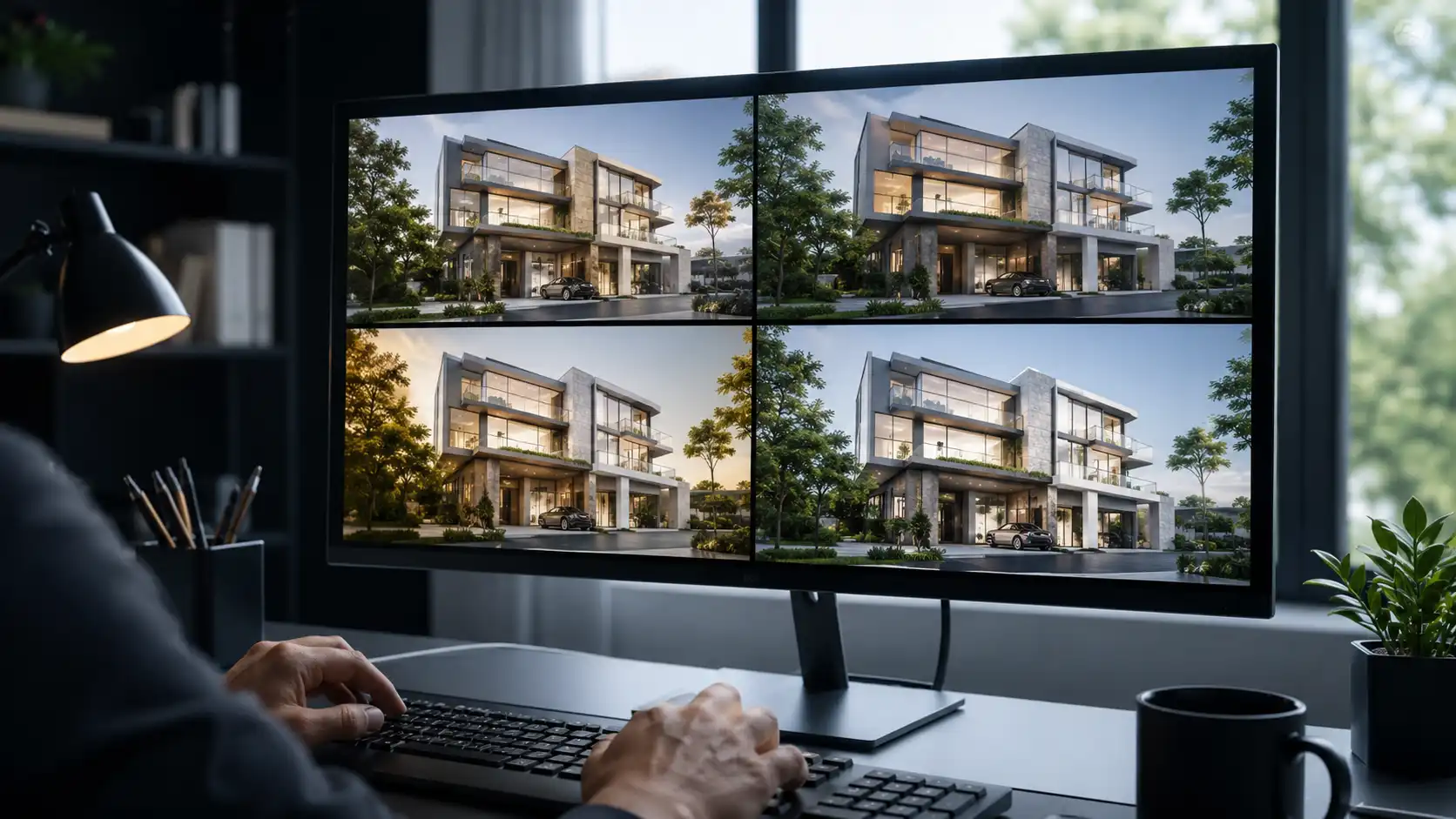
Every tool above has a ceiling, and most articles on this topic stop at a vague warning about “hallucinated details.” That’s not specific enough to actually make a decision with. The useful question isn’t whether AI rendering has limits. It’s which use cases those limits actually put at risk.
Safe for AI rendering: internal concept exploration, mood boards for an early client conversation, testing material or lighting directions before anything is locked, and quick visuals for an internal design review. Nobody outside the room is going to hold the image to a dimensional standard.
Needs CGI verification, not AI alone: tender and competition submissions, planning and permit drawings, investor decks tied to a real financial commitment, and any image a client will hold against the actual built result. AI models can add a window that isn’t in your drawings, soften a roofline, or misjudge a material at scale, none of which a jury, a planning officer, or an investor will forgive.
This isn’t a knock on the tools. It’s a description of what generative models are built to do: interpret, not verify. A rendering built from your actual 3D model, checked by a human against the drawings, is a different kind of asset from an image a diffusion model generated from a prompt. Know which one you’re handing over before you send it.
Confidentiality and Data Security: What Happens to Your Design Files
Almost none of the AI rendering tools compared above spend more than a sentence on this, and it’s the question a firm working on a live competition or a client’s confidential development should ask first.
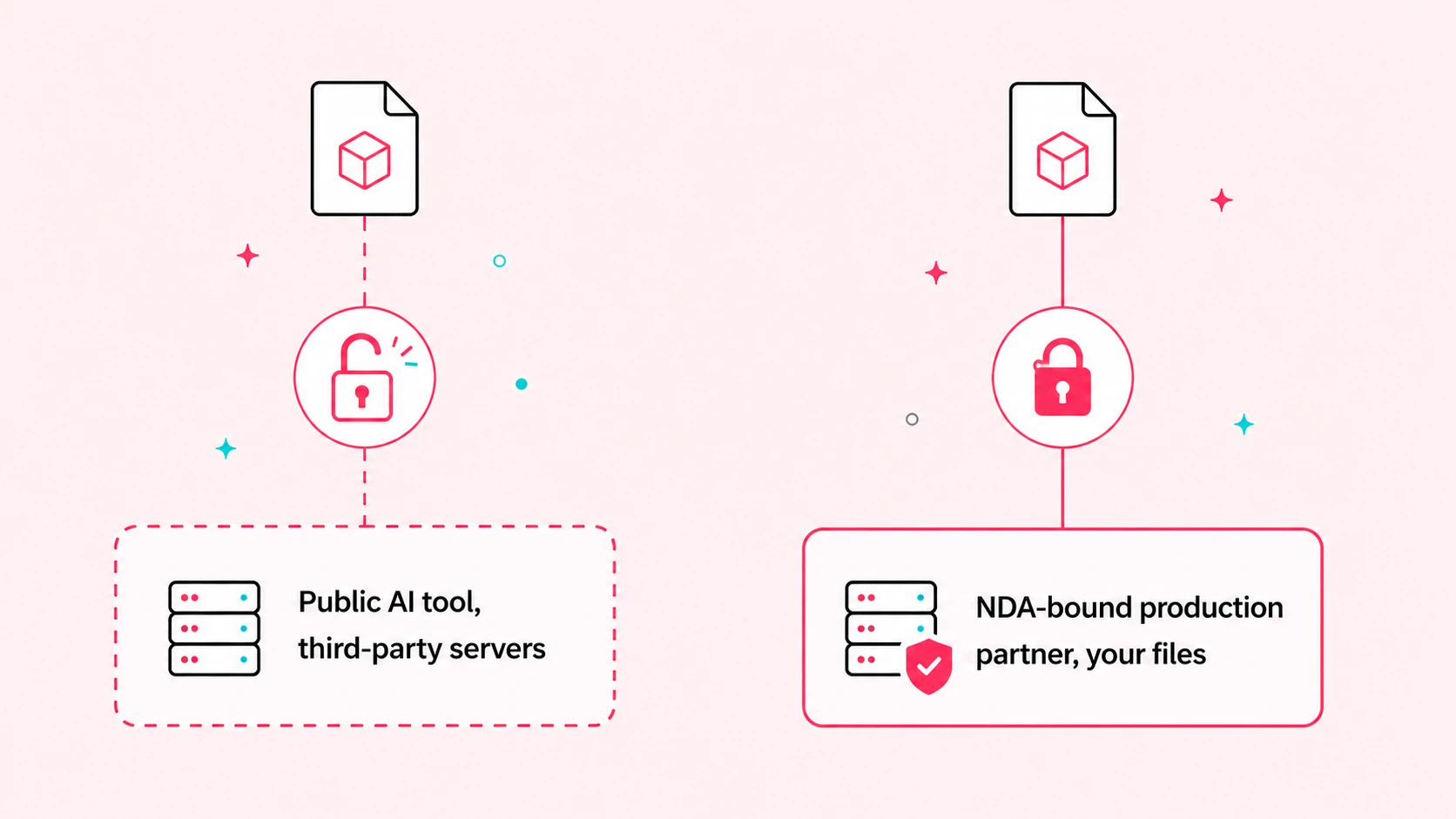
When you upload a model, a sketch, or a set of drawings to a cloud-based AI tool, that file typically leaves your machine and sits on a third-party server, sometimes used to further train that company’s model unless you’ve specifically opted out or paid for an enterprise plan that guarantees otherwise. For a mood board, that’s a non-issue. For a design under NDA, competing for a tender, or attached to a development that hasn’t been publicly announced, it’s a real exposure. Read the terms before you upload, not after.
A few tools now offer enterprise tiers with stated data-handling guarantees, and self-hosted options like Stable Diffusion keep everything on your own hardware by design. Outside of those cases, the safest working rule is simple: if a design can’t leave the building without a signed agreement, it shouldn’t leave the building through a public AI tool either. A white-label production partner working under your NDA, with your files staying inside an agreed, contracted workflow, solves this in a way a consumer AI tool’s terms of service usually can’t.
AI Rendering Tools for Real Estate Developers and Launch Marketing
Almost every AI rendering roundup online is written for the architect designing the building. Real estate developers use these tools differently, and the difference matters enough to call out on its own.
A developer isn’t usually testing a design direction. They’re marketing units that don’t exist yet, to buyers who will compare that image against the finished building years later. AI tools are genuinely useful here for fast internal previews: checking how a facade material reads at different times of day, testing a unit mix visual for an internal sales meeting, or generating quick social content for a construction-update post. What they’re a poor fit for is the sales gallery hero image, the off-plan brochure, and the launch campaign render that a buyer will sign a contract based on. Those need the dimensional accuracy and material fidelity of a proper CGI production, because an inaccurate render on a sales document is a liability question, not just a design one.
The practical pattern we see working: use an AI tool for internal iteration and quick marketing content, and route anything that goes in front of a buyer, an investor, or a regulator through a full CGI production. Two different tools for two different jobs, not one tool stretched past what it was built for.
When AI Rendering Is Enough, and When You Need a Full CGI Production Partner
As a studio that produces architectural CGI for firms across the design and development side, this is the question we get asked most often, and it deserves a straight answer instead of a sales pitch.
AI rendering is enough when the image is exploratory, internal, or low-stakes if it’s slightly wrong. It’s fast, it’s cheap relative to a commissioned render, and for that use case a full production would be overkill.
A full CGI production earns its cost the moment the image has to be right, not just fast: a tender submission where a jury will scrutinize every detail against the drawings, a sales gallery render tied to a real purchase decision, a permit submission, or a brand launch where consistency across dozens of images matters more than any single one. That’s work built from your actual model, checked against your drawings, and revised by a human who understands what a client or a planning board will flag.
The two aren’t competitors. Plenty of the firms we work with use an AI tool from this list every week for early concept exploration, then hand the locked design to our team once it’s ready for a deliverable that has to hold up under scrutiny. We cover that split in more detail in CGI vs AI Rendering: When AI Is Good Enough and When It Isn’t, and if you’re weighing whether to build that CGI capability in-house at all, our guide to outsourcing architectural rendering walks through that decision directly. Archvizly works as a white-label production partner behind the scenes, so the render carries your name and your client relationship end to end, not ours.
How to Choose the Right AI Rendering Tool for Your Practice
Skip the “best overall” instinct. Match the tool to where you actually are in a project.
- Solo practitioner or student, testing the waters: start with LookX or PromeAI. Free, browser-based, no plugin setup.
- Sketch-first designer who wants a render before modeling: Vizcom holds a hand sketch’s proportions better than a prompt-only tool.
- BIM-heavy firm rendering directly from Revit or Rhino models: Veras or D5 Render, depending on whether you already have a real-time engine in your pipeline.
- Team already using Enscape for VR review: lean on Enscape’s AI layer before adding a separate tool to the stack.
- Landscape and masterplan-heavy work: Lumion’s environment tools outperform the generalists on site context.
- Anything tender-critical, NDA-bound, or facing a buyer or investor: use an AI tool for the internal draft, then route the final deliverable to a CGI production partner.
Most practices land on two tools, not one: something fast for early exploration and either an in-house rendering capability or a production partner for anything that leaves the building as a final deliverable.
Frequently Asked Questions
What is the best AI rendering tool for architects in 2026?
There isn’t a single best tool for every architect. Veras and D5 Render lead for firms rendering directly from a BIM model, Vizcom leads for sketch-first designers, and LookX or PromeAI are the strongest free starting points. Match the tool to your workflow, not to a generic ranking.
Do AI rendering tools work with Revit and SketchUp?
Yes, several do. Veras, D5 Render, Enscape, and ArkoAI all run as plugins inside Revit and SketchUp, generating renders directly from your live model. Prompt-only tools like Midjourney have no model import and work from a text description or reference image instead.
Is AI rendering accurate enough for client presentations?
For an early-stage or internal client conversation, yes, especially when the tool renders from your actual model rather than a prompt. For a presentation tied to a purchase decision, a tender, or a permit submission, have a human check the output against your drawings, or use a CGI production for anything that has to be dimensionally correct.
What are the limitations of AI rendering tools for professional use?
The main limitations are geometry drift (the AI reinterpreting details instead of rendering them exactly), inconsistent output across multiple generations of the same view, and limited understanding of structural or code-related constraints. These matter most for tender, permit, and investor-facing work, and matter far less for early concept exploration.
Is it safe to upload architectural designs to AI rendering tools?
It depends on the tool’s data policy and what you’re uploading. Many cloud-based AI tools store uploaded files on third-party servers and may use them for model training unless you’re on an enterprise plan that states otherwise. For NDA-bound or unannounced projects, check the terms first, use an enterprise tier with data guarantees, or route the work through a production partner operating under your own NDA instead.
Can AI-rendered images be used for tender or permit submissions?
Generally not on their own. Tender juries and planning officers expect dimensionally accurate visuals that match the submitted drawings, and AI-generated images can drift from the model in ways that are easy to miss until someone else catches them. A CGI production built from your actual model, checked against the drawings, is the safer route for anything with a submission deadline attached.
Do architects still need a CGI studio if they use AI rendering tools?
Yes, for anything that has to be accurate and repeatable. AI tools are excellent for fast internal exploration, but they don’t replace a production process built on your actual 3D model with human review. Most firms use both: AI tools for early concept work, and a CGI studio for tender, launch, and client-facing deliverables that need to hold up under scrutiny.
Are there any good free AI rendering tools for architects?
Yes. LookX, D5 Render’s community tier, Vizcom, and PromeAI all offer usable free tiers. They’re a reasonable way to test whether AI rendering fits your process before paying for a plugin-based tool like Veras or Enscape.
How is AI rendering different from traditional architectural rendering?
Traditional architectural rendering, whether ray-traced or produced by a CGI studio, builds the image from your actual 3D model with full control over geometry, materials, and lighting. AI rendering generates an image using a trained model that interprets a prompt, sketch, or model view, trading some of that control and consistency for speed. Both have a place; they’re not interchangeable for every use case.
Do real estate developers use AI rendering tools differently than architects?
Yes. Architects mostly use AI tools during design exploration. Developers tend to use them for fast internal previews and quick marketing content, while routing sales gallery renders, brochures, and launch campaign visuals, the images buyers will hold against the finished building, through a full CGI production instead.
Key Takeaways
AI rendering tools have genuinely earned a place in an architect’s workflow. Veras and D5 Render lead for BIM-native rendering, Vizcom and Midjourney lead for sketch and concept work, and LookX or PromeAI are solid free starting points. The tools compared here aren’t interchangeable, and none of them replace human judgment on the work that actually gets scrutinized: tenders, permits, and anything a buyer or investor will hold against the finished building.
Use AI rendering for speed. Use a checked, model-based CGI process for anything where being wrong has a cost. Most firms end up running both, and that combination, not picking one tool and calling it done, is what actually holds up across a full project.