

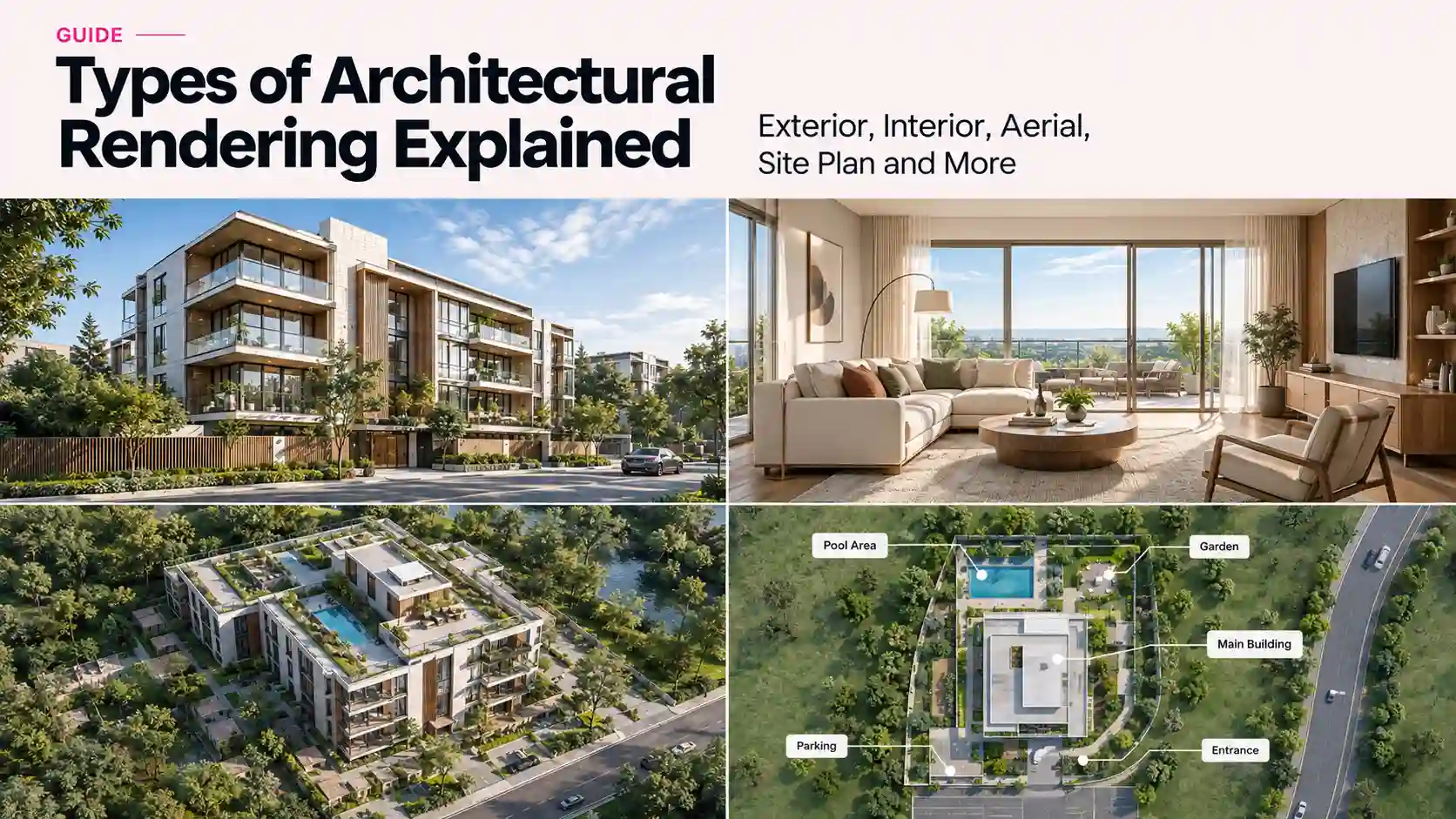
A developer asks for “some renderings” for a launch campaign. An architect asks for “a rendering” for a tender submission. Neither request means the same thing, and sending the wrong one costs a revision round nobody budgeted for. There are several distinct types of architectural rendering, and each one answers a different question: what a building looks like, how a site sits on its plot, what a room feels like to stand in, or how the whole thing moves. This guide breaks down exterior, interior, site plan, aerial, floor plan, 360-degree, and animated rendering, plus where photorealistic and AI-assisted rendering fit in and how the right choice shifts with building type, so you know exactly which one to ask for next time.
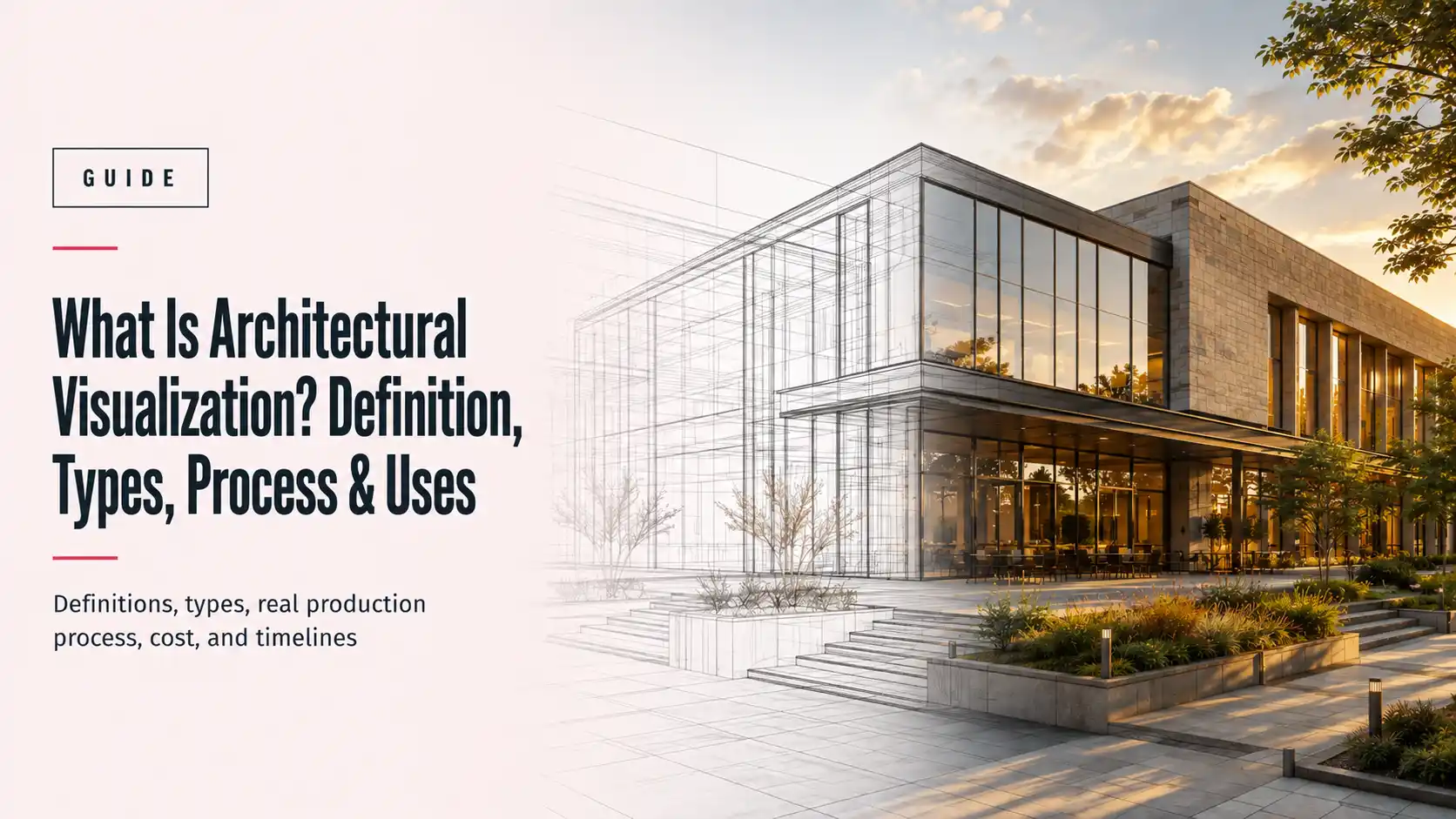
Architectural rendering is the process of turning a 2D drawing or 3D model into a realistic image, animation, or interactive scene of a building before it exists. It shows materials, lighting, and scale the way a finished photograph would, letting architects test a design, developers market a property, and clients approve a concept, all before a single wall goes up. That’s the category. Everything below is a subtype inside it, and picking the right one depends on what you’re trying to prove: that a building will fit its site, that a room will feel right, or that a project is ready to launch.
What Is Architectural Rendering, Exactly?
Architectural rendering isn’t the same thing as architectural visualization, though the two get used interchangeably. Visualization is the broader discipline: everything from a hand sketch to a fully rendered walkthrough. Rendering is the specific output, the finished image or animation a 3D engine produces once materials, lighting, and cameras are set. If you want the fuller picture of how the whole discipline fits together, our guide to what architectural visualization actually covers goes into the process, tools, and use cases end to end. This article stays narrower: the types of architectural rendering you can actually ask a studio for. (For the discipline’s broader technical background, Wikipedia’s overview of architectural rendering is a reasonable starting point.)
Every type below splits along two lines that matter more than they sound like they should. First, what the camera is looking at: the outside of a building, the inside of it, the site it sits on, or the sky above it. Second, how the image is delivered: a single still frame, an interactive 360-degree scene, or a moving animation. Mix those two questions and you get every rendering type a production studio actually produces.
Exterior Rendering
Exterior rendering shows the outside of a building: facade, materials, landscaping, and how the structure sits against its surroundings. It’s the type most people picture when they hear “architectural rendering,” because it’s the one that shows up on a billboard, a sales gallery wall, or the cover slide of an investor pitch.
Exterior rendering splits again by building type. A residential exterior render has to sell a lifestyle: a villa at golden hour, a townhouse with the right amount of landscaping, a tower with a skyline behind it. A commercial exterior render has a different job: it needs to read as credible to an investor or a planning committee, which usually means fewer atmospheric flourishes and more attention to how the building meets the street.
Best for: sales galleries, launch campaigns, planning submissions, and any presentation where the building’s exterior does the persuading.
Interior Rendering
Interior rendering shows the inside of a space: layout, materials, furniture, and light. Where exterior rendering sells scale, interior rendering sells feeling. It’s the type that carries the most emotional weight in a client presentation, because it’s the closest a viewer gets to imagining themselves standing in the room.
A residential interior render has to get the small things right: how morning light falls across a kitchen island, whether a sofa reads as the right scale for the room. A commercial or hospitality interior render (an office lobby, a restaurant, a hotel suite) has to convey atmosphere at a glance, since it’s often judged in a five-second scroll rather than a slow walkthrough. See how this plays out in a real project: our case study on interior presentation renders for a luxury villa concept shows the render set a design team used to get a concept approved.
Best for: design reviews, client approvals, and any material or lighting decision that needs to be seen before it’s built.
Site Plan Rendering (and Why It’s Not the Same as an Aerial View)
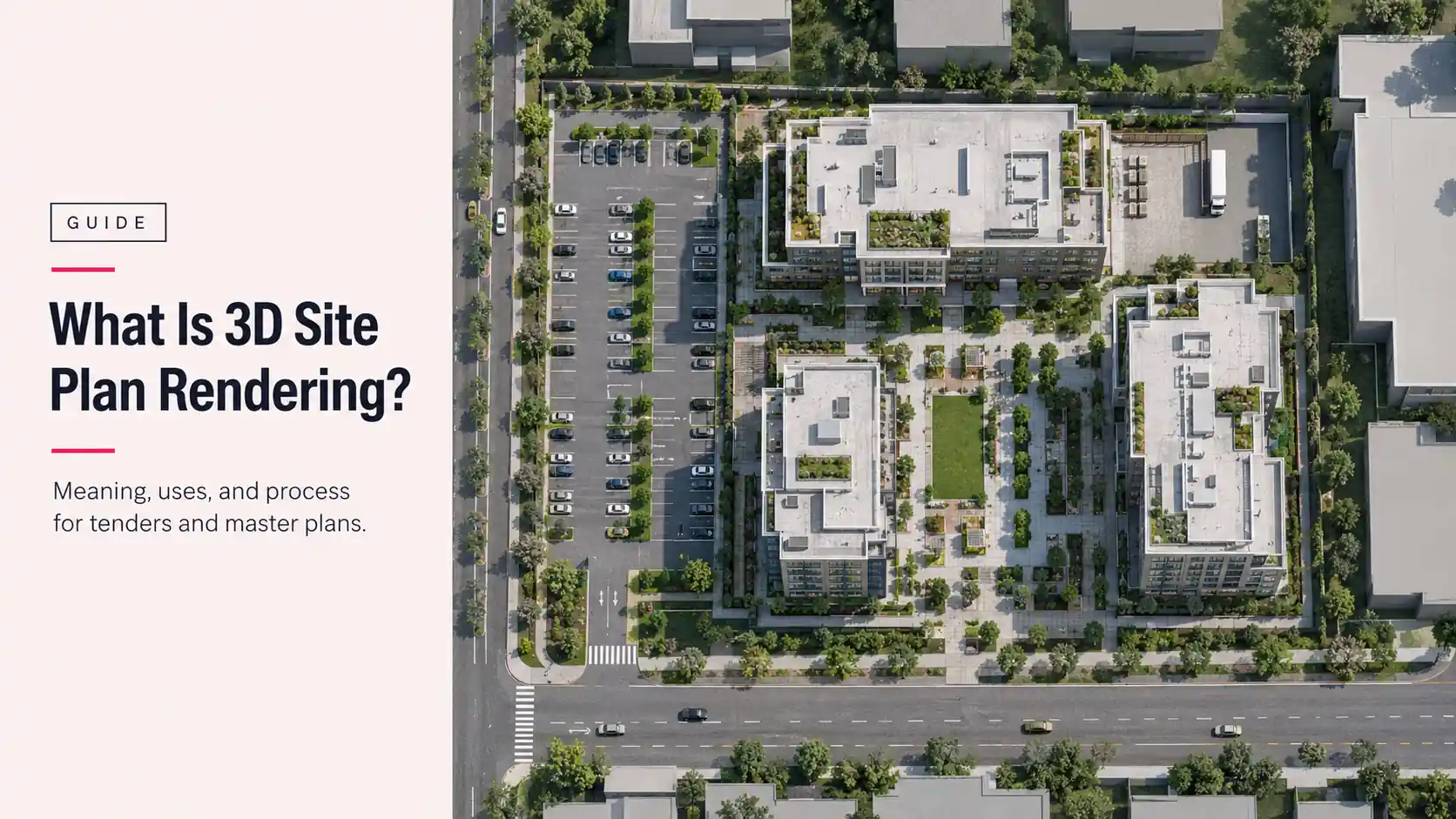
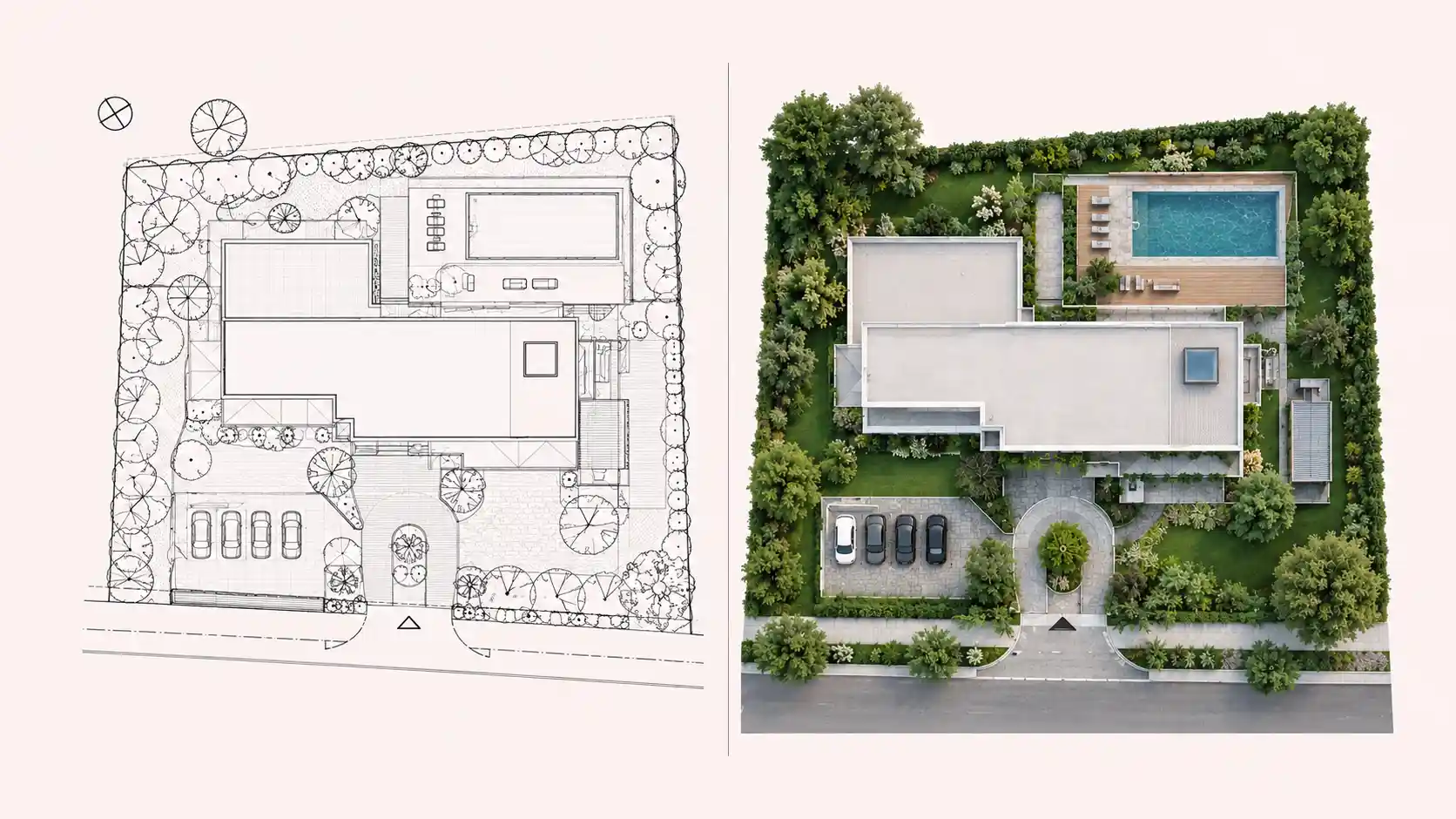
This is the type most guides on this exact topic get vague about, so here’s the boundary line: a site plan rendering is a technical, top-down or angled visualization of how a building and its surrounding elements, roads, parking, landscaping, and setbacks, sit on a specific plot, built to match survey and engineering drawings almost exactly. An aerial rendering (next section) is a more cinematic bird’s-eye shot of the finished project. Site plan rendering answers “does this comply and does it fit,” aerial rendering answers “how does this look from above.”
That accuracy requirement is what makes site plan rendering a tender document as much as a visual one. Evaluators on a bid cross-check it directly against survey drawings, so a site plan render that looks good but doesn’t match the engineering scale is worse than no render at all. Our case study on tender-ready site plans and massing visuals for a commercial development covers exactly this: a construction company bidding on a mixed-use development where the render had to match the client’s engineering drawings down to the scale convention, delivered ahead of a fixed lodgement deadline.
Best for: tender submissions, planning applications, and master plan documentation where accuracy against survey data matters more than visual polish.
Aerial Rendering
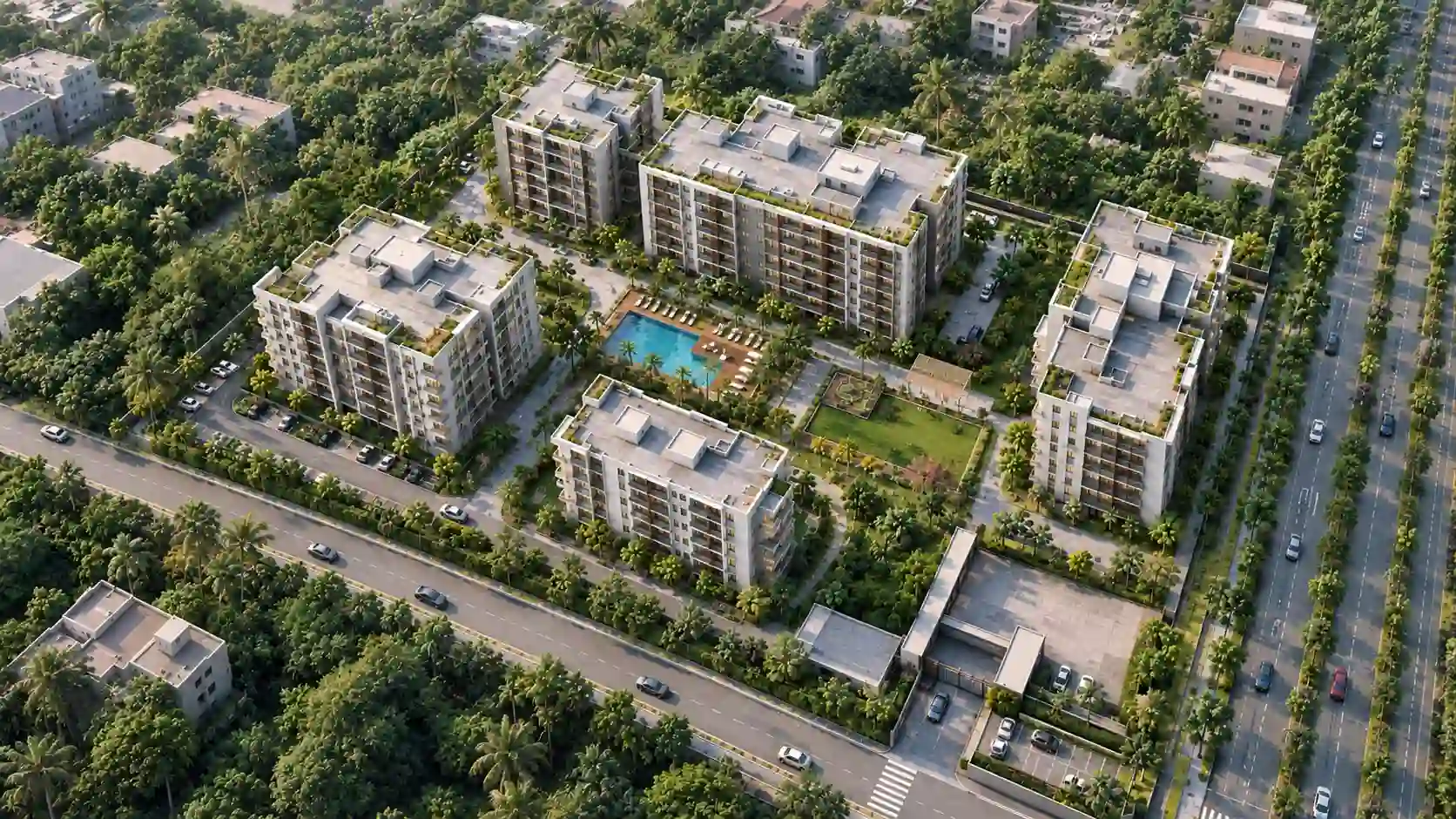
An aerial rendering is a bird’s-eye visual of an entire site, not a single building. It shows how a development sits relative to its neighborhood: nearby roads, green space, the skyline, and how multiple buildings within one master plan relate to each other. Where a site plan render is judged against engineering accuracy, an aerial render is judged on whether it makes the scale and ambition of a project legible at a glance, which is exactly why it shows up so often on the cover slide of an investor deck.
Aerial rendering is built from the same site plans and massing models as a site plan render, then pushed further: dramatic lighting, a realistic sky, and often a wider context radius than survey documentation would ever include. That’s the boundary worth remembering: site plan rendering proves compliance, aerial rendering sells scale.
Best for: investor pitches, master plan marketing, and launch campaigns for multi-building developments.
Floor Plan Rendering (2D and 3D)
A 2D floor plan is the flat, top-down technical drawing every project starts from: walls, room dimensions, door and window placements, and fixture locations, drawn to scale with no materials or lighting applied. It’s the version a contractor, a permit office, or an engineer actually needs, since it communicates exact measurements without any visual interpretation getting in the way. Most projects already have one long before a rendering studio gets involved. It’s what feeds every other floor plan output below.
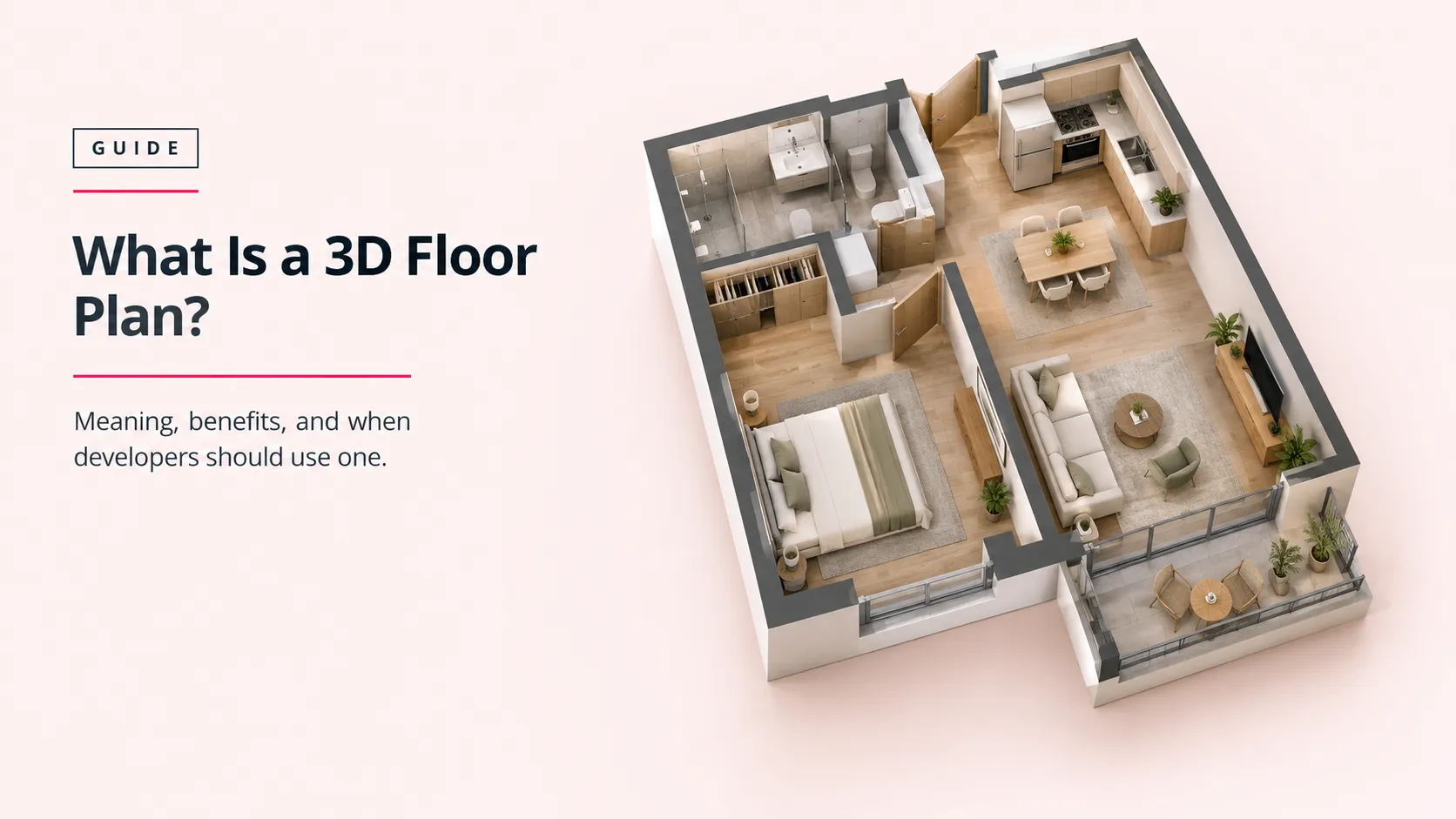
A 3D floor plan takes that same flat drawing and renders it with furniture, materials, and light, usually viewed from directly above or at a slight angle. It’s built for buyers who can’t read a 2D plan fluently, which in practice is most of them. Where a 2D floor plan communicates dimensions to a contractor, a 3D floor plan communicates livability to a buyer: whether a layout feels open, where furniture actually fits, how one room flows into the next.
The 3D version is also the type real estate marketing leans on hardest for off-plan sales, since it’s usually the first rendered asset a buyer sees on a listing page, before the fully dressed interior renders arrive.
Best for: 2D floor plans for permits, construction documents, and technical coordination. 3D floor plans for off-plan real estate listings, brochures, and any buyer-facing material where layout comprehension matters more than atmosphere.
360-Degree Panoramas and Virtual Tours
A 360-degree panorama drops a viewer into one fixed point in a space and lets them look around in every direction from there. A virtual tour links several of those panoramas together so a viewer can move from room to room. Both solve the same underlying problem: a static render, however good, is still just one camera angle. A panorama or tour lets a buyer or investor explore a space that doesn’t physically exist yet, at their own pace, without waiting on a callback to answer “what does the other wall look like.”
This format earns its keep hardest in pre-completion marketing, when there’s nothing to photograph yet. Our pre-opening hotel rendering and virtual tour case study shows this directly: a resort brand needed to market rooms, dining spaces, and a lobby months before opening, and used a 360 tour so travel partners could explore the property before a single guest checked in.
Best for: pre-opening hospitality marketing, off-plan sales galleries, and any listing where a buyer expects to “walk through” rather than just look at a picture.

3D Animation and Walkthroughs
3D animation moves the camera through or around a space on a fixed, pre-set path, the way a film does, rather than letting a viewer control it the way a 360 tour does. It’s the format that carries a narrative: sunrise to sunset across a facade, a camera drifting from a lobby up through a tower, a flythrough of an entire master plan. It costs more and takes longer to produce than a still render, so it earns its place on big-ticket presentations where a story matters as much as a single image: investor pitches, design competitions, and brand launch films.
According to the State of Architectural Visualization 2024-25 report from Chaos and Architizer, still images remain the format most architects rely on day to day, but 26% of architects already use animation frequently, and the report names real-time rendering as one of the top emerging needs in the field. Animation isn’t replacing the still render. It’s the format teams reach for when a still image can’t carry the whole story on its own.
Best for: design competitions, investor presentations, and marketing campaigns that need to tell a story rather than show a single moment.
Photorealistic vs. Conceptual Rendering
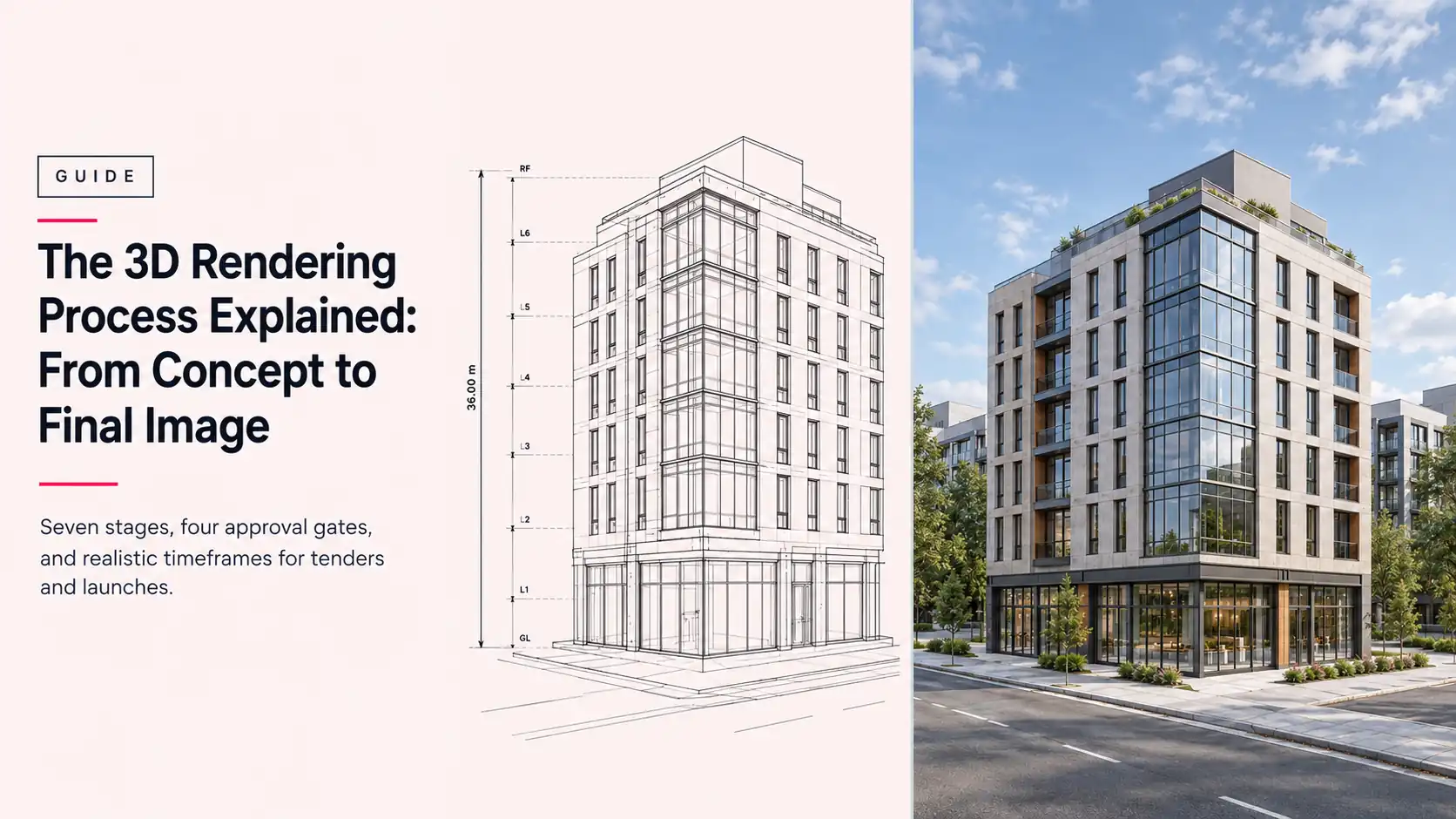
Every type above can be produced in two different finishes, and picking the wrong one sends the wrong signal to whoever’s looking at it. Photorealistic rendering aims to look indistinguishable from a photograph: accurate materials, physically correct lighting, real-world context. Conceptual (or sketch-style) rendering stays deliberately loose, closer to a hand-drawn illustration, and is used earlier in a project when the design itself is still moving.
Sending a photorealistic render too early can backfire: a client reads finished-looking materials as a finished decision, and pushes back on changes that were always meant to be on the table. Sending a conceptual sketch too late reads as unfinished when a buyer is expecting to see the real thing. Match the finish to the decision being made, not to whichever one looks more impressive.
| Finish | What it can do | What it can’t do |
| Photorealistic | Sell a near-final design to buyers, investors, and planning bodies as if it were a photograph | Signal that a design is still open to change, without confusing the viewer |
| Conceptual / sketch | Explore early design ideas quickly and cheaply, and invite feedback without implying finality | Function as a final sales or marketing asset for buyers expecting a finished look |
Where CGI vs. AI Rendering Fits In
AI rendering isn’t a new item on this list so much as a new way of producing some of the items already on it. It generates images from text prompts or rough sketches in seconds rather than hours, which makes it genuinely useful for early concept exploration and mood boards. What it doesn’t yet do reliably is guarantee that a render matches the actual CAD or BIM model down to the dimension, which is exactly what a tender submission, a site plan, or a client-facing sales asset requires. We’ve covered this trade-off in full in CGI vs. AI rendering: when AI is good enough and when it isn’t, including where the two approaches are increasingly used together rather than as a straight either-or.
Best for: fast early-stage concept exploration. Not yet a reliable substitute for dimensionally accurate CGI on tender, site plan, or client-facing sales work.
Rendering by Building Type and Scale
The types of architectural rendering above all split by what the camera sees and how the image gets delivered. There’s a third axis that changes just as much: what kind of building it is and how big the project is. A single-family villa and a 40-story residential tower might both need an exterior render, but the brief behind each one looks nothing alike.
Residential projects, villas, townhouses, and low-rise apartment buildings, lean hardest on atmosphere. The render has to make someone picture living there, so warm light, real landscaping, and lived-in material choices matter more than technical precision. Our residential rendering work sits almost entirely in this register.
High-rise and large-scale developments, towers, master-planned communities, and multi-phase launches, change the brief again. A single project might need dozens of near-identical unit-type floor plans rendered in one consistent style, plus aerial and site plan renders that carry more weight than usual because skyline context and phasing are part of the sales pitch. Our real estate rendering service is built around that kind of volume and consistency.
Commercial, hospitality, and public buildings, offices, hotels, retail, civic projects, flip the priority again: credibility and brand consistency matter more than atmosphere. A commercial exterior render aimed at a planning committee or an investor has to read as trustworthy first and appealing second, and a hospitality interior render has to stay consistent across dozens of rooms and amenity spaces rather than selling one hero shot.
| Building type / scale | What matters most | Rendering types that carry the most weight |
| Residential (villas, townhouses, low-rise) | Atmosphere and lifestyle | Exterior, interior, 3D floor plan |
| High-rise and large-scale developments | Skyline context and unit-type consistency across many renders | Aerial, site plan, exterior, 3D floor plan per unit type |
| Commercial, hospitality, and public buildings | Credibility and brand consistency | Exterior, interior, 360 tour |
Best for: making sure a single villa launch and a 40-story tower launch don’t get the same production plan, even when both start with the word “exterior rendering.”
Which Type of Architectural Rendering Do You Actually Need?
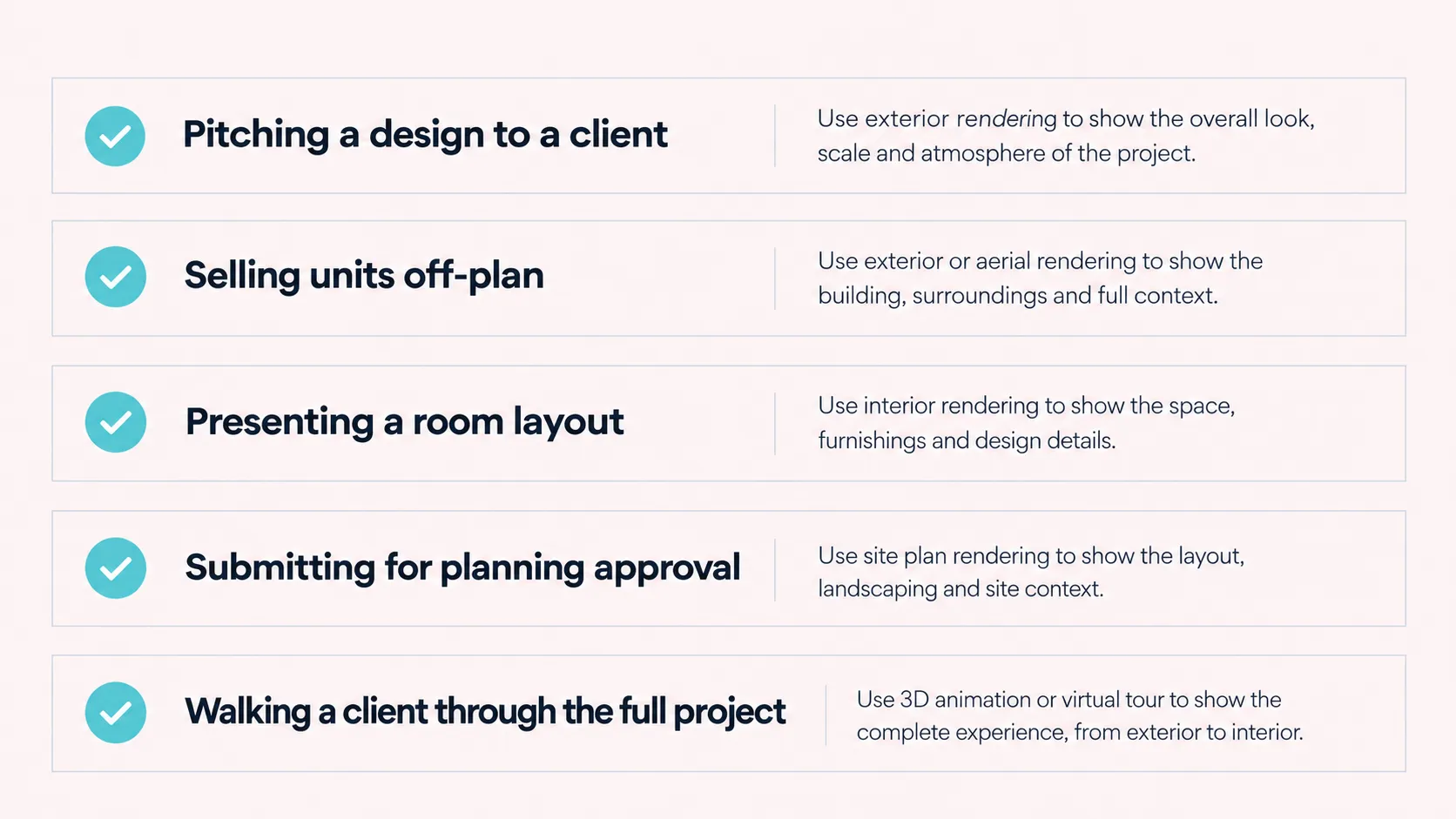
Most guides to the types of architectural rendering stop at defining each type and leave you to work out which one applies to your project. The honest answer depends less on the building and more on what stage you’re at and who’s looking at the result. Here’s how that maps out in practice:
| Project stage | Who’s looking at it | Rendering type to reach for |
| Tender or planning submission | Evaluators, planning officers, engineers | Site plan rendering, supported by exterior and aerial views |
| Design review with a client | Architects, interior designers, the client | Interior rendering, often in a conceptual finish before locking materials |
| Sales gallery or off-plan launch | Buyers, brokers, marketing teams | Photorealistic exterior, aerial, and 3D floor plan renders |
| Investor pitch or design competition | Investors, competition juries | Aerial rendering and 3D animation to carry scale and narrative |
| Pre-opening hospitality marketing | Travel partners, guests, brand teams | Interior rendering plus a 360 virtual tour |
Most real projects need more than one type from this table across their lifecycle, not just one. A single off-plan tower launch, for instance, typically moves from site plan rendering during the tender stage, to aerial and exterior renders for the investor pitch, to floor plans and interior renders once sales gallery marketing opens. Planning which types you’ll need before the project timeline gets tight is what keeps a production partner from becoming a bottleneck later.
Frequently Asked Questions
What are the main types of architectural rendering?
The main types of architectural rendering are exterior, interior, site plan, aerial, floor plan (2D and 3D), 360-degree panoramas and virtual tours, and 3D animation. Each one is built to answer a different question, from how a facade looks to how a layout feels to how a whole site fits together, and which one you need also shifts with the building type and project scale.
What’s the difference between exterior and interior rendering?
Exterior rendering shows the outside of a building, its facade, materials, and setting, while interior rendering shows the inside: layout, furniture, materials, and light. Exterior rendering sells scale and presence; interior rendering sells how a space feels to stand in.
What’s the difference between an aerial rendering and a site plan rendering?
A site plan rendering is a technical, top-down visual built to match survey and engineering drawings, used mainly in tenders and planning submissions. An aerial rendering is a more cinematic bird’s-eye shot of the finished project used to sell scale and context in marketing and investor materials. Site plan rendering proves compliance; aerial rendering sells ambition.
Is a 3D floor plan the same as a site plan rendering?
No. A 3D floor plan renders the interior layout of a single unit, furnished and viewed from above, to help a buyer understand livability. A site plan rendering shows how an entire building and its surrounding site relate to roads, setbacks, and neighboring plots. One is a sales tool for a single unit; the other is a compliance document for the whole site.
What’s the difference between a 2D and 3D floor plan rendering?
A 2D floor plan is a flat, dimensioned technical drawing used for permits, construction, and engineering coordination. A 3D floor plan takes that same layout and adds furniture, materials, and light so a buyer can judge livability at a glance. Contractors and permit offices need the 2D version; buyers and marketing teams need the 3D one.
Does the type of building change which rendering type I need?
Yes. A residential villa or townhouse leans on atmosphere and warm lighting, a high-rise or master-planned development needs aerial and site plan renders plus consistent unit-type floor plans across dozens of units, and commercial, hospitality, or public buildings prioritize credibility and brand consistency over mood. The building type shapes which rendering types carry the most weight, not just which ones exist.
What’s the difference between a 360 panorama and a virtual tour?
A 360 panorama is a single fixed point a viewer can look around in every direction from. A virtual tour links multiple panoramas together so a viewer can move between rooms or areas. A panorama shows one space in depth; a tour lets someone explore several.
When should I use 3D animation instead of a still rendering?
Use animation when the story matters as much as the image: investor pitches, design competitions, or a brand launch film where a camera moving through a space communicates scale and flow that a single still can’t. For most day-to-day approvals and marketing, a still rendering is faster and cheaper, and does the job just as well.
What’s the difference between photorealistic and conceptual rendering?
Photorealistic rendering aims to look like an actual photograph, with accurate materials and lighting. Conceptual, or sketch-style, rendering stays deliberately loose and is used earlier in a project, when the design is still open to change and a finished look would send the wrong signal.
Is AI rendering a separate type of architectural rendering?
AI rendering is better understood as a production method than a separate output type. It can generate exterior or interior style images from a prompt in seconds, which is useful for early concept exploration, but it doesn’t yet reliably match a render to the exact CAD or BIM model the way traditional CGI does, which matters for tenders, site plans, and client-facing sales assets.
Which type of architectural rendering do I need for a tender submission?
Tender submissions typically need site plan rendering as the core document, since evaluators check it against survey and engineering drawings, supported by exterior and aerial views that show the design intent. Visual polish matters less here than dimensional accuracy.
Which type of rendering works best for a property launch or sales gallery?
Sales galleries and launch campaigns usually lean on photorealistic exterior and aerial renders for the emotional pitch, paired with 3D floor plans so buyers can judge layout at a glance. Interior renders and a 360 tour add depth once a buyer is seriously considering a unit.
Does the type of rendering affect what it costs?
Yes. A single photorealistic still costs less than a 360 virtual tour of the same space, which costs less again than a full 3D animation, since each step adds production time and technical complexity. Our architectural rendering cost breakdown for 2026 covers pricing by type in detail.
Choosing the Right Type of Architectural Rendering, Every Time
The types of architectural rendering aren’t interchangeable, and the studios that get treated as a genuine production partner rather than a vendor are the ones that ask what stage a project is at before asking what it looks like. Archvizly works as a white-label production team across exterior, interior, site plan, aerial, floor plan, 360 tour, and animated rendering, delivered under your name to architects, developers, interior designers, and hospitality brands across the UAE, Europe, and the United States, whether the project is a single villa or a 40-story tower.
If you’re not sure which type fits your next submission or launch, see the full range of Archvizly’s rendering services or browse the portfolio for examples of each type in production.