
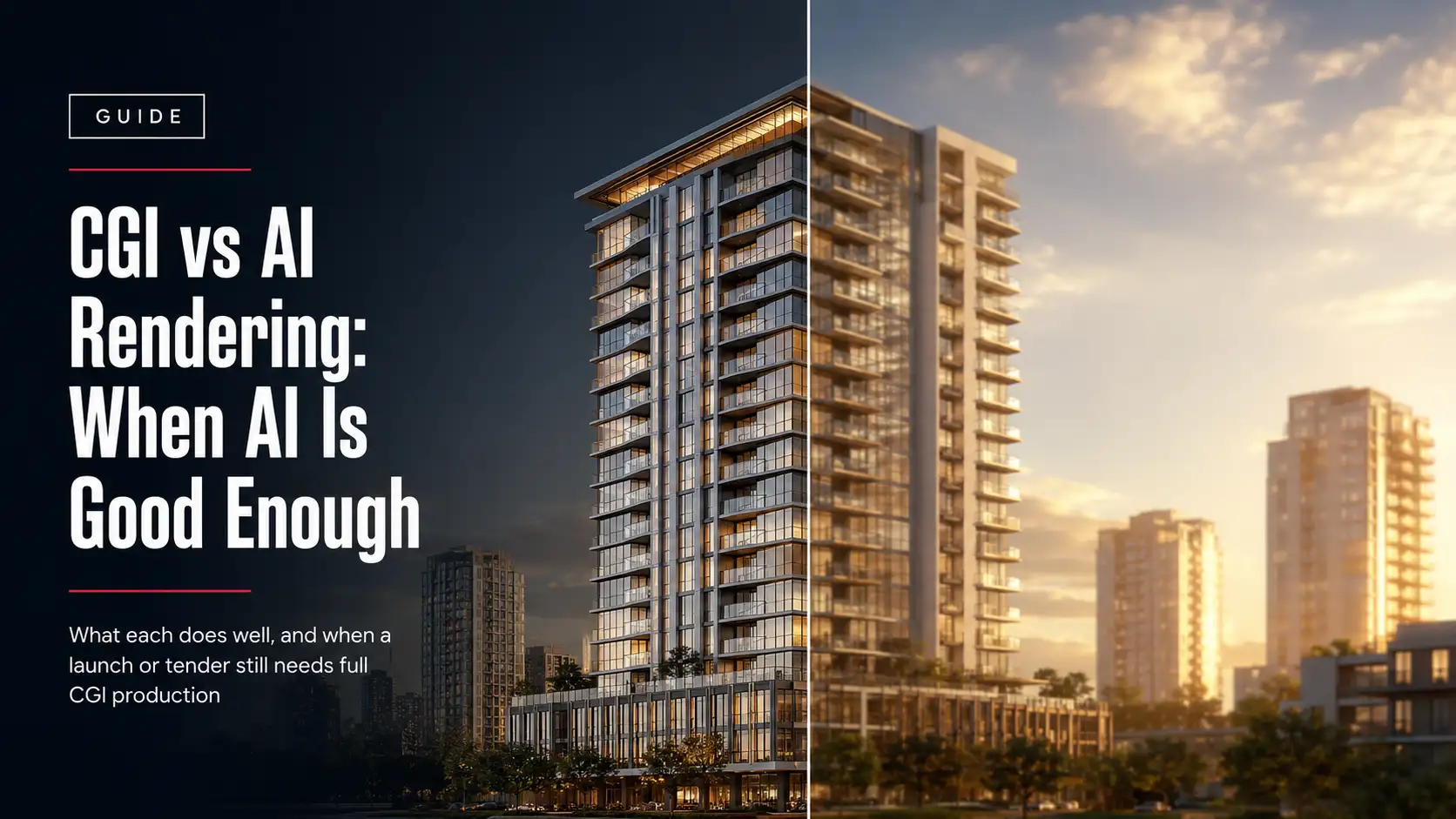
An AI tool can turn a floor plan into a moody exterior image in under a minute. A tender submission, a sales gallery, or an investor deck still needs an image that matches the actual building, down to the window count. CGI vs AI rendering isn’t really a quality argument anymore. Both can look convincing on a phone screen. It’s a question of what the image has to survive once it leaves your desktop and gets held up against the real design.
Most comparisons of AI rendering vs CGI rendering stop at speed and cost. That’s the easy half of the answer. The harder, more useful half is what each method actually does to control, accuracy, consistency across views, legal ownership, and confidentiality, and how those trade-offs change once you’re not exploring an idea anymore but delivering something a client, an investor, or a jury will hold you to.
This guide covers all of it: how CGI and AI rendering actually work, the tools behind each one, a full nine-point breakdown of where they differ, the misconceptions worth clearing up, the legal and confidentiality questions most comparisons skip entirely, and a practical framework for architects, real estate developers, interior designers, construction companies, hospitality brands, and property marketing agencies deciding which one a specific deliverable actually needs, by project type rather than in the abstract.
What CGI Rendering Actually Means
CGI, computer-generated imagery, starts from a real 3D model, not a prompt. A visualization team builds geometry from your drawings in Revit, SketchUp, Rhino, or 3ds Max, working from BIM files, CAD exports, or a full architectural visualization pipeline that begins with the same plans your architect or engineer already signed off on.
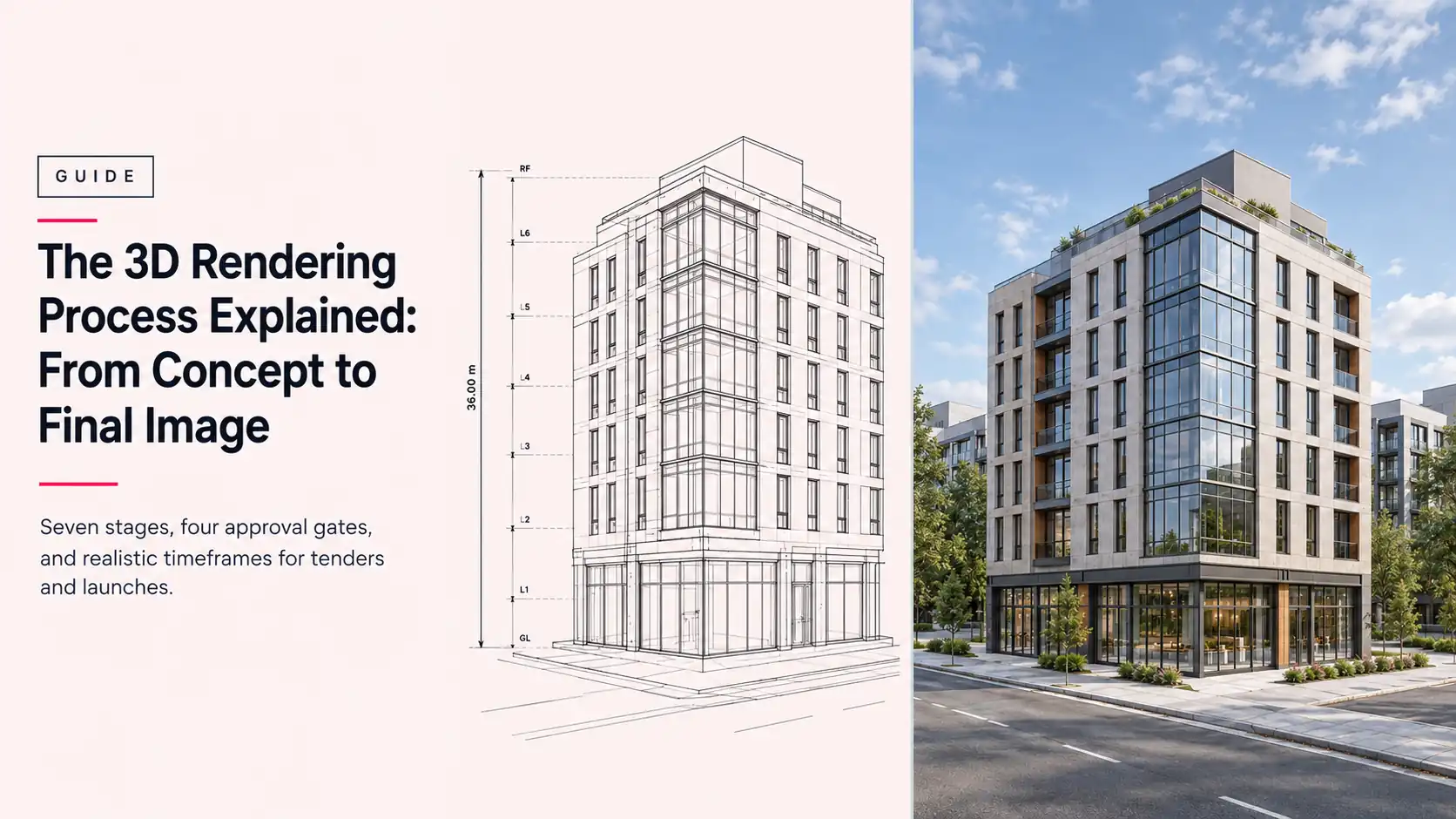
From there, the process is structured and repeatable. Materials are assigned using physically based rendering principles, so concrete, glass, timber, and metal respond to light the way they would in the real world. Lighting is simulated, sun position and artificial fixtures are set, and camera angles are chosen to match the story the visual needs to tell. A render engine such as V-Ray, Corona, or Cycles then calculates how light actually interacts with those materials, producing reflections, shadows, and global illumination. Post-production adjusts color balance and contrast without touching the underlying design.
Because the image is calculated from your actual model, it stays locked to the plan: unit counts, window proportions, material specs, site context, and structural details all remain aligned with the drawings. Change the model and every future render updates with it. That geometry integrity and traceability is the entire point of a CGI pipeline, and it’s what lets tasks like modeling, lighting, rendering, and post-production be split across specialists without the final images drifting apart.
What AI Rendering Actually Means
AI rendering works from a text prompt, a sketch, or a reference image instead of a modeled scene. Generative AI platforms like Midjourney, DALL·E, Stable Diffusion, Runway, and Adobe Firefly use diffusion models trained on enormous image datasets to produce a plausible visual based on learned patterns, not a calculation of how light behaves on your actual geometry.
A typical AI rendering workflow starts with three kinds of input: a written prompt describing the desired space, mood, or material direction; a reference image or moodboard; and, in more advanced tools, a rough massing model, a clay render, or a sketch the AI is asked to follow. The system generates several variations, the user refines the prompt or masks specific areas to inpaint, and a final pass upscales and cleans up the result.
That process makes the output probabilistic rather than deterministic. Run the same prompt twice and proportions can shift, a balcony can appear that isn’t in the plan, or a facade material can change on its own. That isn’t a bug in the tool, and it isn’t really a rendering accuracy failure in the traditional sense either. AI rendering is predicting a convincing image from prompt-based image generation, not rendering your drawing, and that distinction explains almost every other difference on this page.
The Tools Behind Each Approach
Part of why CGI vs AI architecture debates get confusing is that “rendering” now covers three genuinely different technology categories, not two. A CGI pipeline typically starts in a modeling package like Revit, SketchUp, Rhino, or 3ds Max, then finishes in an offline render engine such as V-Ray, Corona, or Cycles, which calculates physically accurate light behavior at the cost of render time. Real-time rendering engines like Unreal Engine, Twinmotion, Enscape, and Lumion sit between offline CGI and AI generation: they’re still built from a real 3D model, so geometry integrity holds, but they render interactively, which makes them well suited to VR walkthroughs and live client-facing walkthroughs where instant feedback matters more than the last percentage point of photorealism.
AI rendering is a separate category again, built on diffusion models rather than a modeled scene. Midjourney, DALL·E, and Stable Diffusion generate images from text prompts; Adobe Firefly and Krea AI focus on faster in-browser generation and inpainting; Runway extends the same generative approach into short AI video clips, which still struggle with the frame-to-frame consistency that CGI animation handles natively. Studios increasingly blend all three categories: AI for the first pass of ideation, real-time engines for interactive review and walkthroughs during design development, and offline CGI rendering for the final, submission-ready stills and animation. If you’re evaluating rendering software for your own team rather than outsourcing it, our breakdown of the best architectural rendering software covers where each category fits.
CGI vs AI Rendering: The Real Differences, One by One
Once you get past “which one looks better,” the practical differences between CGI and AI rendering come down to nine things: what they start from, how the workflow is structured, how much control you actually have, how realism is achieved, how fast iteration really is, what they cost, how legally safe the output is, how consistent they stay across a set of images, and how easy revisions are to trace and reproduce.
1. Foundations and inputs
CGI rendering begins with a defined 3D model where geometry, scale, and spatial relationships are explicitly built and verified. Given the same scene and settings, the output is deterministic: it repeats. AI rendering begins with prompts, references, or sketches, and details are inferred through learned visual patterns rather than physical simulation, which makes the output probabilistic by design.
2. Workflow structure
A CGI pipeline is structured and versioned. Files are tracked, revisions are logged, and a change to the model propagates predictably through every future render. AI workflows are regenerative and exploratory: iteration happens by re-running prompts or swapping references rather than updating one authoritative scene, which is fast but harder to formally control.
3. Render control and reliability
CGI offers direct, granular control over lighting, materials, reflections, and camera behavior, so a specific adjustment leads to a specific, predictable outcome. AI rendering offers indirect control through prompts, seeds, and reference weighting. Tools are improving, but they still don’t match CGI’s reliability for a fixed, defendable deliverable.
4. Realism and accuracy
CGI realism is physical: materials follow defined properties and light behaves according to consistent, calculable rules, which is what makes it suitable for validating design intent. AI realism is perceptual: an image can look entirely convincing while containing structural, material, or lighting inconsistencies a trained eye, or a construction team, would catch immediately.
5. Iteration speed
This is where AI genuinely wins. Testing ten facade directions in an afternoon is realistic with AI rendering and impractical with a full CGI setup, where a model, lighting, and material change all take real production time. CGI supports controlled iteration, but it’s built for precision over a fixed direction, not breadth across many unproven ones.
6. Cost and resource requirements
AI rendering tools generally run on a flat monthly subscription with unlimited or high-volume generation, which lowers the barrier for early exploration. CGI is typically priced per project or per image, reflecting specialist labor, licensed software, and GPU rendering time. In a rendering cost comparison, AI tends to favor exploration and CGI tends to favor reliability and reuse, since a finished CGI scene can be re-rendered from new angles or updated for a later project phase without starting over. Treat any single-source pricing figure you see quoted online as a rough industry indicator rather than a fixed number; ranges vary widely by market, project complexity, and studio.
7. Commercial suitability and legal exposure
CGI is generally preferred for high-stakes deliverables that need to be defended in a review, an approval process, or a legal filing. AI-generated imagery introduces additional authorship and provenance questions: platform terms of use vary, training-data licensing is still contested, and copyright offices in several jurisdictions have indicated that purely AI-generated output may not qualify for copyright protection without meaningful human authorship. For work you intend to own outright and reuse commercially, that’s a real consideration, not a theoretical one.
8. Consistency across multiple views and assets
CGI maintains multi-view consistency because every image comes from the same scene: camera positions, proportions, and materials stay aligned across an entire set. AI rendering can introduce variation between images even with near-identical prompts, which becomes a real problem the moment a presentation or campaign needs more than one cohesive image.
9. Traceability and revision control
CGI ties every visual to a defined model, material set, and lighting setup, so a revision can be reproduced and audited later. AI outputs are harder to reproduce exactly, which introduces uncertainty during revision or approval cycles when a client asks, months later, to see the same image with one detail changed.
| Factor | CGI Rendering | AI Rendering |
| Built from | Your actual 3D model and drawings | Prompts, sketches, or reference photos |
| Geometric accuracy | Matches the plan exactly, every time | Approximate; can add or drop elements |
| Consistency across views | Strong; every view comes from one scene | Weak; each generation can drift |
| Revisions | Targeted; change one element, re-render | Re-prompt or inpaint; can shift other areas |
| Typical cost basis | Priced per project or per image | Flat monthly subscription |
| Animation / VR / 360 | Native strength; consistent camera paths | Weak; frame-to-frame flicker is common |
| Best for | Approvals, submissions, campaigns, animation | Early concepts, mood boards, internal reviews |
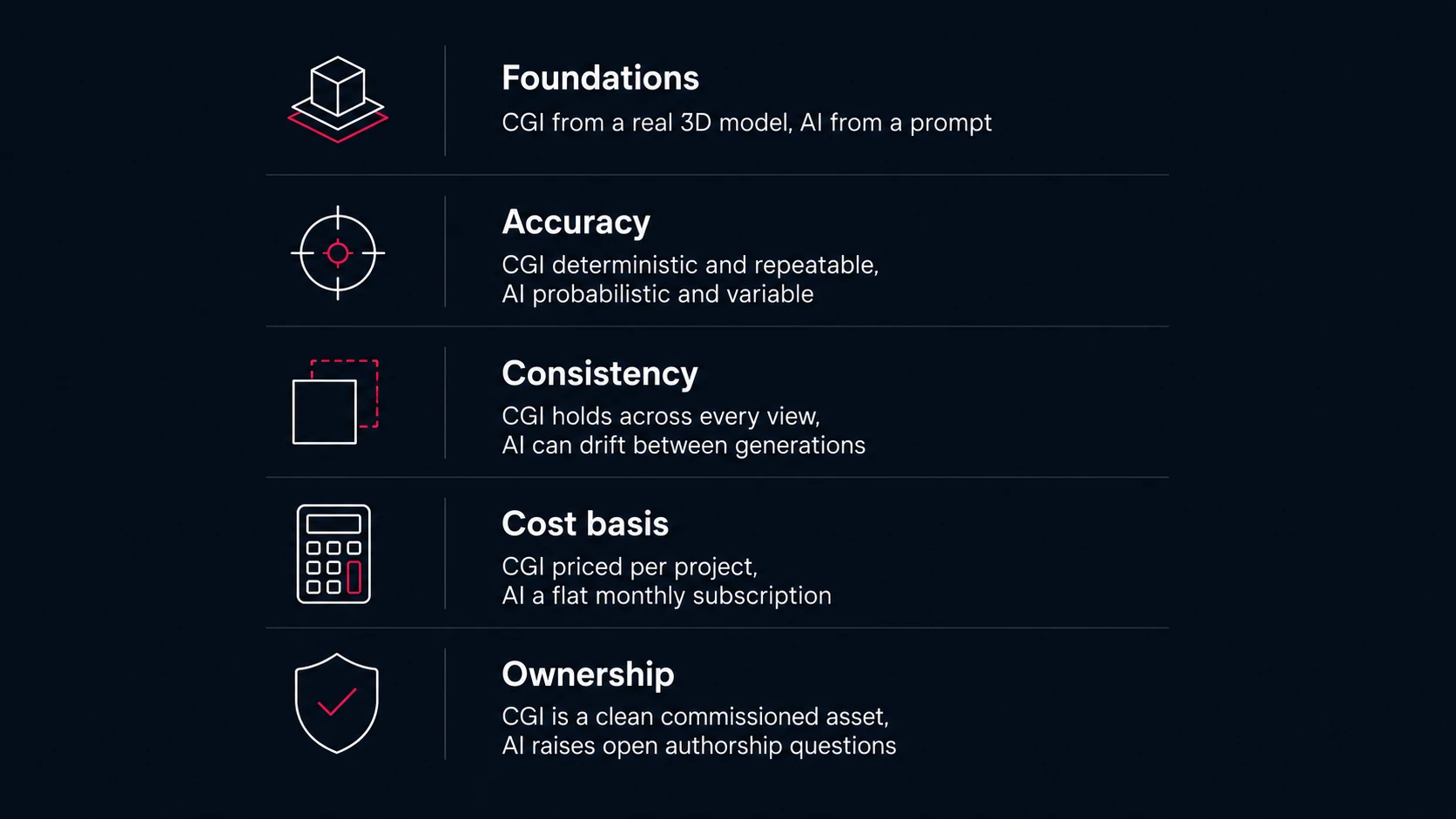
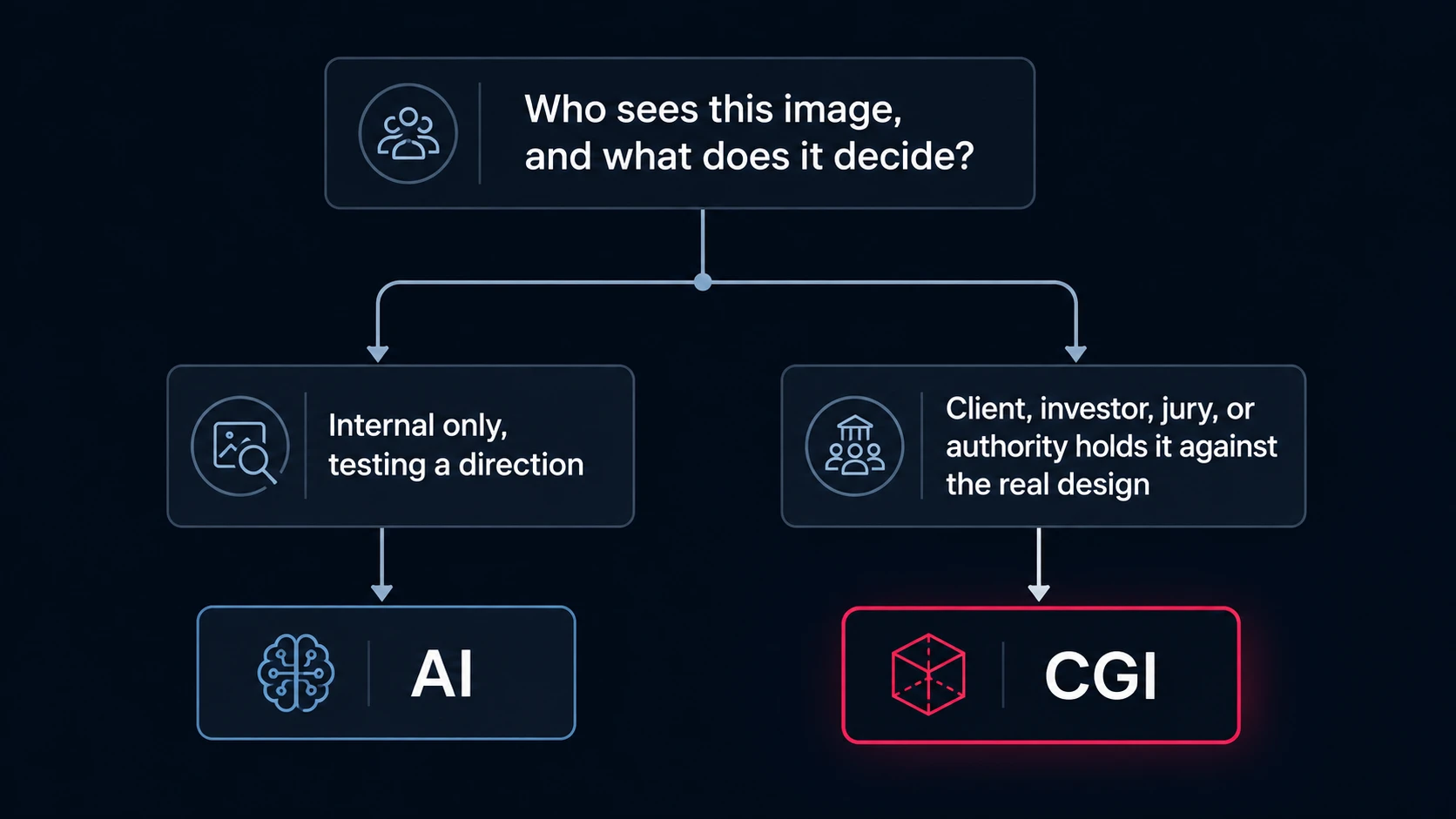
Neither column is the “better” technology in the abstract. The right one depends entirely on who sees the image next, what they’re going to do with it, and what it costs you if that image turns out to be wrong.
Common Misconceptions, Cleared Up
“AI is going to replace CGI and rendering studios entirely.” Probably not, at least not for work that has to match a real design. Basic, low-direction rendering is under real pressure from AI, but work that involves art direction, brand consistency, and defending a design decision to a client or a jury stays a human and CGI job.
“AI images are always free to use commercially.” Not necessarily. Licensing terms differ by platform, and using AI output for paid client work without checking the license first is a real, avoidable risk.
“If it looks realistic, it’s accurate.” This is where AI hallucination shows up: an AI model can confidently produce an output that looks entirely plausible but is factually wrong against your actual drawing, adding a window that isn’t there, removing a structural element, or inventing a floor that doesn’t exist. It looks convincing precisely because the model is optimizing for plausibility, not correctness, which is exactly why AI-generated concepts need a human, and usually a CGI pass, before they represent anything real. The fix isn’t avoiding AI, it’s never treating an AI-generated image as verified information about the actual building until someone checks it against the drawings.
When AI Rendering Is Good Enough
AI earns its place early, before anything is locked. Used well, it’s a genuinely useful stage in an AI vs traditional architectural rendering workflow, not a replacement for one:
- Internal concept boards before the design is settled, when the team is still comparing directions rather than presenting one.
- Style and mood testing, such as comparing five facade or lighting directions in an afternoon instead of a week.
- Helping non-designers communicate a vision, letting a project manager or a real estate agent sketch a visual reference for the production team without needing to model anything.
- Social content testing to see what visual direction resonates before committing production budget to it.
- Background and entourage generation layered onto an already-accurate CGI base, such as skies, distant buildings, or seasonal variation.
- Denoising and upscaling a finished render, an increasingly common AI-assisted step inside otherwise traditional CGI pipelines.
- Workshop and internal-review visuals that never leave the building and aren’t held up against the drawings.
If nobody outside the room is going to compare the image to the actual plan, AI rendering is usually good enough, and it’s faster than briefing a studio for a direction that might get dropped tomorrow.
Where AI Adds Value Beyond the First Concept
Beyond generating the first image, AI has settled into a few specific, genuinely useful roles inside otherwise traditional pipelines, rather than replacing them outright:
- Idea iteration, acting as a fast visual reference tool that helps a designer see ten or twenty directions before committing one to full production.
- Administrative automation, summarizing project notes, rewriting client emails, or reformatting text so the design team spends less time on non-design tasks.
- AI-assisted touch-ups inside a CGI pipeline, such as generative fill for background cleanup, faster material variation testing, or scene population with entourage.
- Training-data generation, where synthetic, perfectly labeled CGI scenes are increasingly used to train other AI systems, which is a reminder that CGI and AI aren’t strictly competitors even at the infrastructure level.
None of this replaces the studio’s job. It changes what the studio spends its hours on, shifting time away from generating rough options and toward the art direction, brand consistency, and technical accuracy that AI still can’t reliably deliver on its own.
When You Need CGI, Not AI
The line moves the moment the image represents something real to someone outside the design team. Asking “is AI rendering good enough for professional client presentations” almost always comes down to whether the presentation is asking for approval or just reaction:
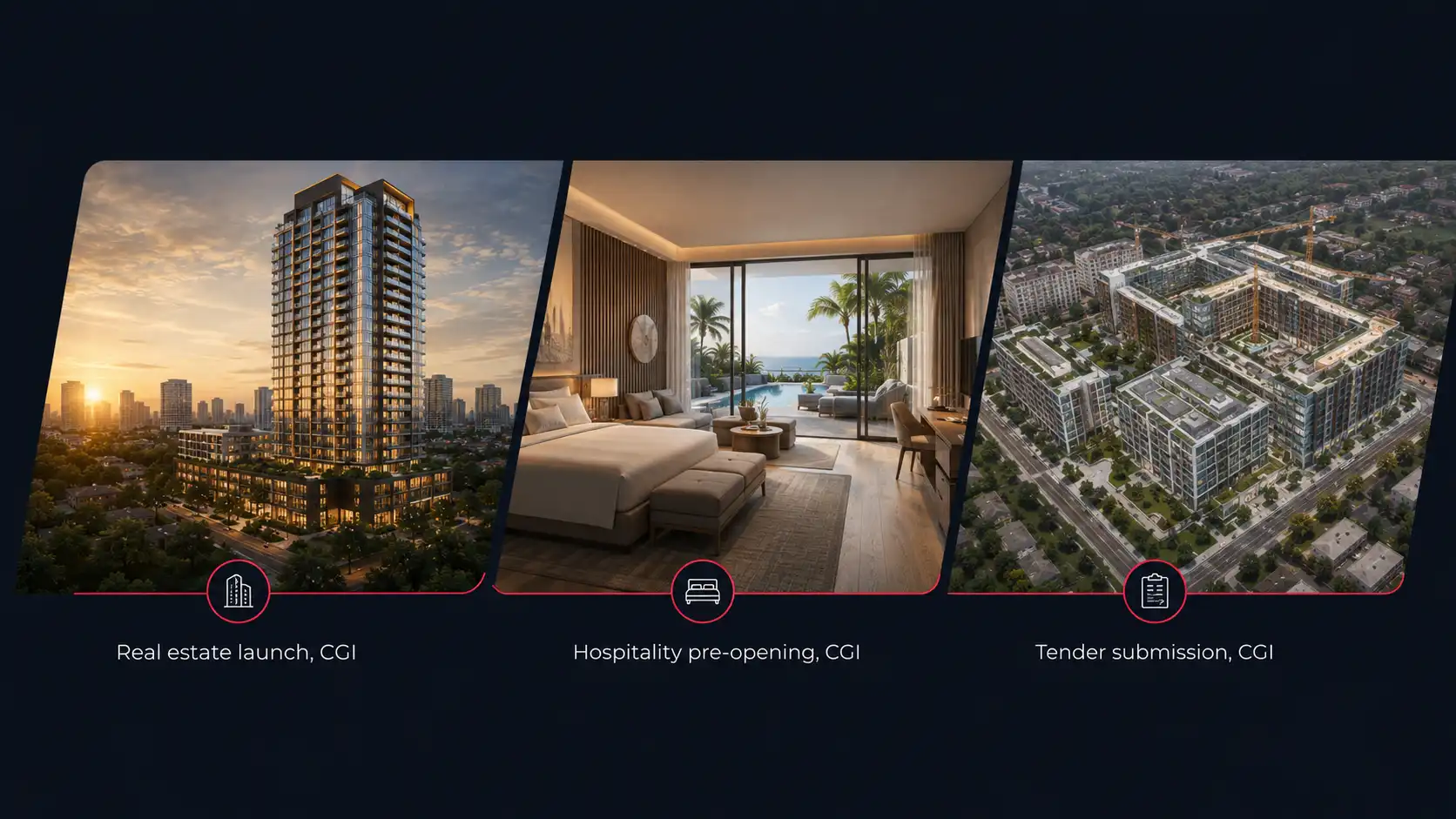
- Tender and competition submissions judged against the actual design intent, where an invented window or a shifted proportion undermines the entry.
- Planning and permit visuals that must reflect true dimensions and site conditions.
- Investor decks and sales-gallery renders sold against units that have to exist exactly as drawn once construction catches up.
- Multi-view sets, animation, or a 360 tour, where every angle needs to come from the same consistent scene and camera paths need to stay stable across frames.
- Hospitality pre-opening marketing, where guests will eventually compare the render to the finished lobby, restaurant, and amenities.
- Large prints and close-up crops that people will inspect up close, where AI artifacts and inconsistencies become obvious at scale.
- Technical and construction-facing visuals, where site logistics, phasing, or structural clarity have to be right, not just plausible-looking.
In every one of these cases, the image is doing a job: winning approval, closing a sale, or standing in for a building that doesn’t exist yet. When the stakes are that high, CGI vs AI rendering isn’t a close call: it’s a CGI job, not an AI one.
Where This Actually Plays Out, by Project Type
Most CGI vs AI architecture comparisons stay generic. In practice, the right answer changes depending on who’s buying the render and what it has to do for them.
Real estate developers and launch campaigns
An off-plan launch usually needs a coordinated set: exterior hero shots, aerials, sales-gallery interiors, and a 360 tour, all showing the same building and reading as one campaign, often across several phases released months apart. AI-generated images rarely stay consistent across that many views or that long a timeline, and a buyer comparing your brochure to the actual floor plan is exactly the audience CGI exists to satisfy. Brand consistency compounds the problem: a campaign that spans a lobby render, three unit types, and a phase-two launch six months later needs every image to look like it came from the same building, which AI struggles to hold even within a single generation session. See how this plays out across a full campaign in off-plan property marketing.
Architecture firms and competition entries
A jury is scoring the design against the drawings in the same submission package. A render that quietly reinterprets a facade or drops a structural element doesn’t help the entry, it undermines it. AI is a legitimate tool earlier in the process, for testing ten massing directions before a design is fixed. Once the entry is being assembled, it needs to match what’s actually being submitted. For a closer look at what wins here, see renderings that win pitches and competitions.
Interior designers and fast client approvals
Interior work often lives or dies on revision speed: a client wants to see three material directions this week, not next month. AI is genuinely useful for the first pass of that conversation. But once a direction is chosen and finishes need to be shown accurately enough that a client signs off on them, material correctness and lighting accuracy matter more than generation speed, which is where CGI takes over.
Construction companies and tender-facing visuals
Tender and bid visuals need to communicate scope and site logistics accurately to stakeholders who will hold the contractor to what was shown. Site plans, massing studies, and phasing diagrams depend on technical accuracy that a prompt-based tool isn’t built to guarantee.
Hospitality brands and pre-opening marketing
Pre-opening marketing sells a specific lobby, restaurant, and set of amenities months before a guest can walk in, often across a portfolio of properties that need to look like one brand. Those renders need to match the finished interior closely enough that opening day doesn’t feel like a downgrade from the marketing, and they need to stay visually consistent from property to property.
Property marketing agencies managing multiple clients
Agencies running several client accounts at once need production capacity that scales without adding headcount, and consistent quality across very different property types. AI can absorb some of the volume for early concept work, but the client-facing deliverable still needs to carry the agency’s name and hold up to client scrutiny, which is a CGI-level bar.
The Confidentiality Question Nobody Else Raises
There’s a risk in the CGI vs AI rendering conversation that most comparisons skip entirely: what happens to the file after you upload it.
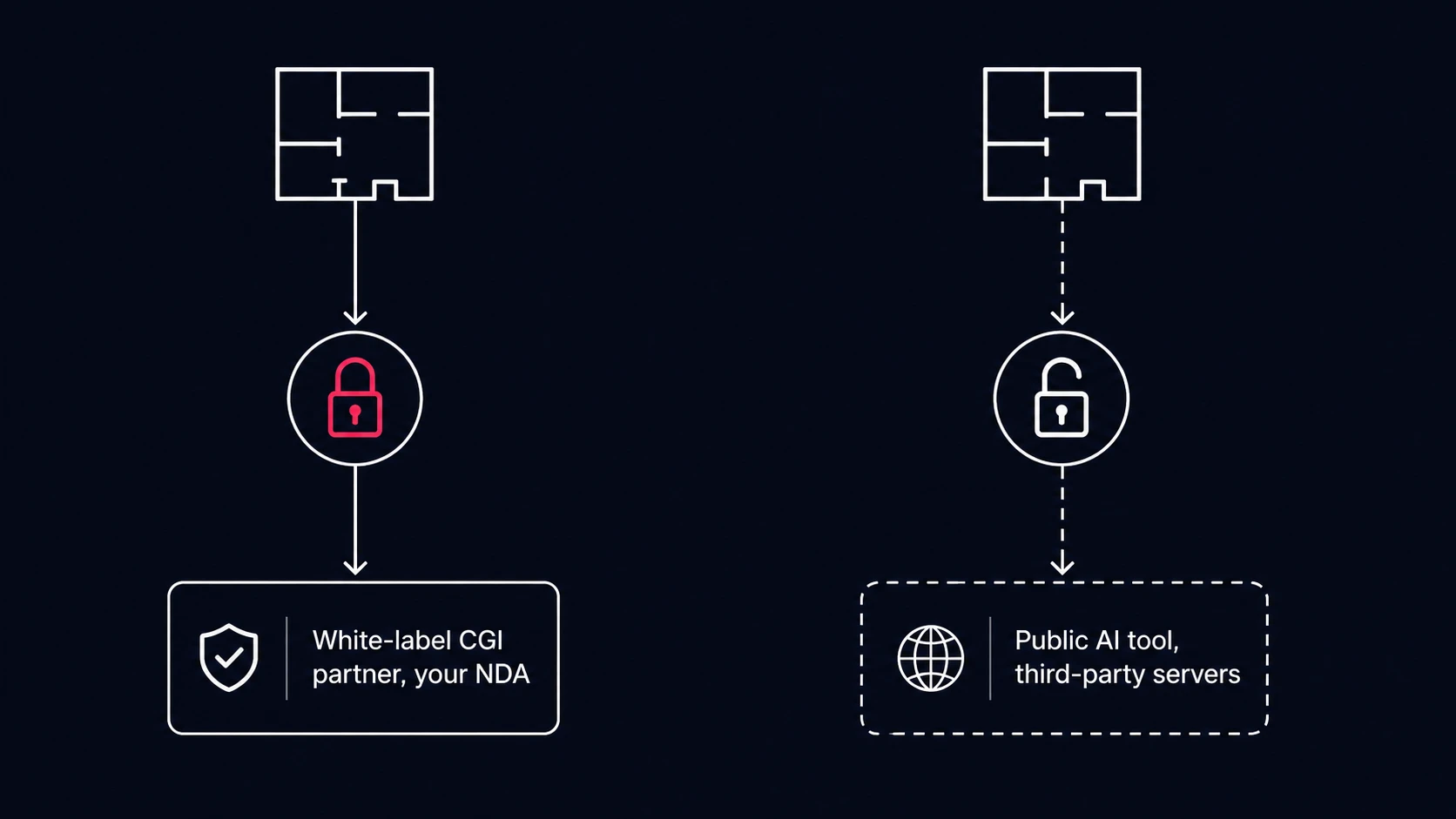
An unreleased floor plan, a competition entry before the submission deadline, or an unannounced hospitality project is usually covered by an NDA. Uploading it to a public AI tool puts that file inside a third party’s servers and, depending on the platform’s terms, its training or logging pipeline. Most design teams never read those terms closely enough to know what they’ve actually agreed to, and “the AI tool is cheap” stops being the relevant question the moment client confidentiality is on the line.
A white-label production partner works under your own confidentiality terms instead of a consumer tool’s. The files stay inside an agreement you control, and the finished work carries your name, not the studio’s. For anything under NDA, that difference is worth more than the speed AI offers.
Legal, Copyright, and Ownership Considerations
Beyond confidentiality, there’s a separate legal question worth understanding before AI-generated imagery becomes part of a commercial deliverable: who owns it, and whether that ownership is clean enough to survive a dispute later.
Several copyright authorities, including the U.S. Copyright Office, have taken the position that purely AI-generated output may not receive copyright protection unless a human author determines sufficient expressive elements of the final work. Prompting alone doesn’t necessarily establish that authorship. For a one-off internal concept image, that’s academic. For an asset you intend to license, reuse across campaigns, or defend as proprietary, it’s worth knowing before you build a marketing strategy around it.
CGI sidesteps this cleanly. A commissioned render, modeled from your drawings by a production partner under a standard work-for-hire agreement, is unambiguously an asset you own outright, along with the underlying 3D scene it was built from, which can be reused for future angles, phases, or campaigns without a fresh legal question each time.
This matters more than it looks like on the surface for anything publicly visible: a listing image, a competition board, or a hospitality marketing campaign is exactly the kind of asset that gets reused, licensed to a broker network, or handed to a PR team months after the original brief. Building that on a foundation with an unresolved ownership question is a risk most teams would rather not discover after the fact.
A Hybrid CGI and AI Workflow That Actually Works
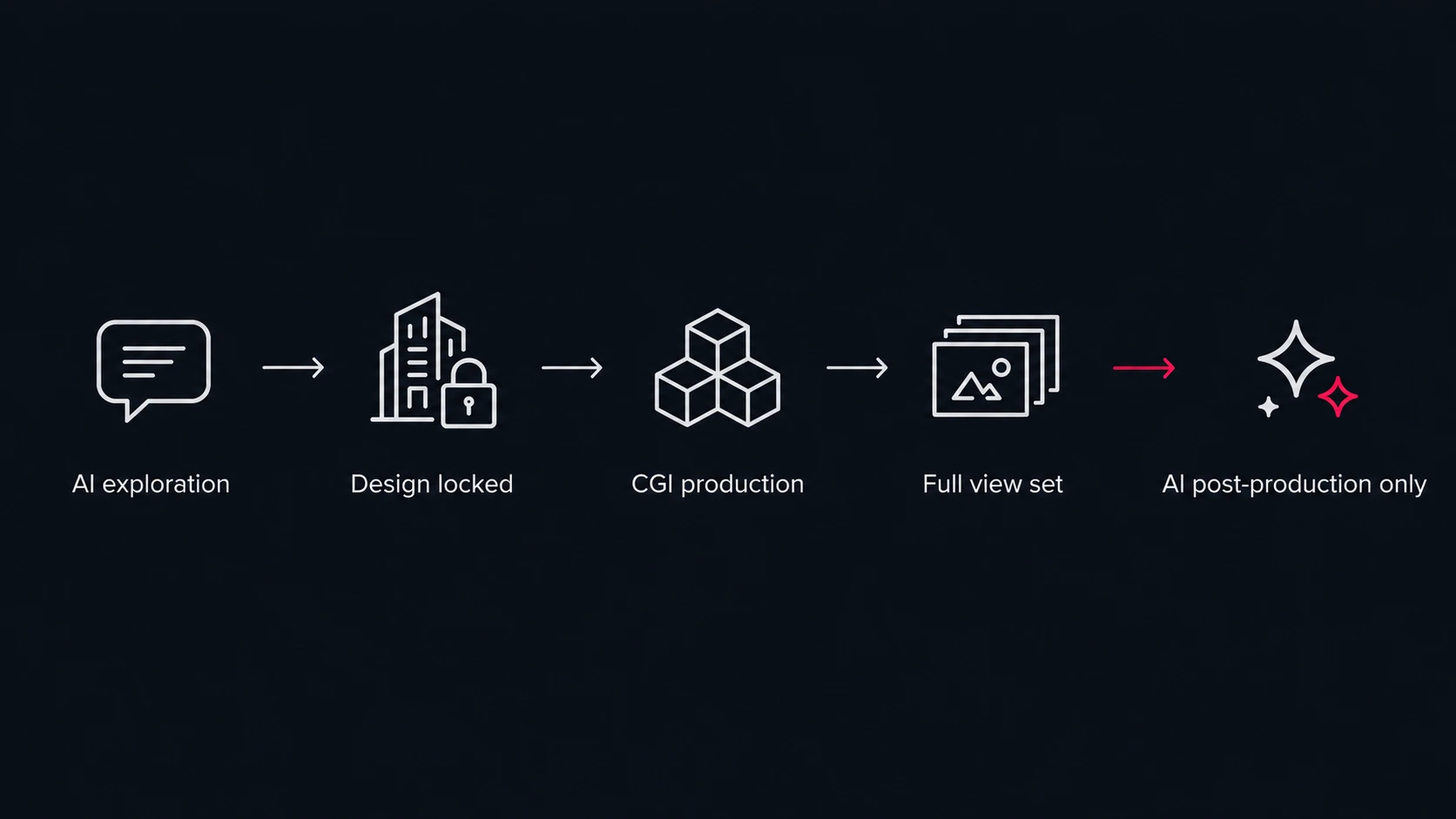
Almost none of this needs to be an either-or decision. A practical hybrid CGI and AI workflow for architecture looks like this:
- Explore direction internally with AI while the design is still moving, testing style, mood, and material directions freely.
- Lock the design, materials, and camera views once a direction is chosen internally or approved at a concept level.
- Hand the confirmed model and material palette to a CGI partner for production, rather than a conceptual brief alone.
- Let the CGI partner produce the full, consistent set: stills, animation, or a 360 tour, all from the same scene.
- Complete human quality control on geometry, scale, materials, lighting, and design intent before anything ships.
- Use AI only after that, for social crops, seasonal variations, or minor background changes off the approved CGI base.
AI moves the exploration faster. CGI makes sure what actually ships matches the building. Neither stage replaces the other, and treating them as competitors instead of two stages of the same pipeline is where most of the “AI vs CGI” debate goes wrong.
Cost and Turnaround, Honestly
Plenty of “AI vs traditional architectural rendering speed cost quality” comparisons throw out precise-sounding numbers pulled from a single source. Treat those with caution. What’s consistently true, independent of any one price point, is the shape of the trade-off: AI tools charge a flat, low monthly fee for effectively unlimited generation, and a single image can come back in seconds to minutes. CGI is quoted per project or per image, reflects real production hours, and typically takes days rather than minutes, longer for animation or a full campaign set.
The part that changes the math is reuse. An AI-generated concept that needs correcting, re-prompting, and manual cleanup before it’s usable can quietly erase its own speed advantage. A CGI scene, once built, can be re-rendered from new angles, updated for a later launch phase, or turned into an animation without rebuilding from scratch, which is where its higher upfront cost gets paid back over the life of a project rather than a single image.
The honest framing is total project value, not the price of the first image. A subscription that produces a fast, disposable concept costs almost nothing per attempt. A commissioned CGI scene costs more upfront, but that cost buys a reusable production asset, predictable revision handling, and an image nobody on the other side of the table can dispute against the drawings. Which one is actually cheaper depends entirely on how many times the image needs to be right, and how expensive it is if it’s wrong.
How to Decide: A Quick Framework
Use this table to make the CGI vs AI rendering call quickly, deliverable by deliverable:
| Deliverable | Recommended approach |
| Internal concept, only your team sees it | AI |
| Client mood board, no dimensions promised | AI, clearly labeled as a concept |
| Investor deck or sales-gallery renders | CGI |
| Planning or permit submission | CGI |
| Tender or competition entry | CGI |
| Animation, 360 tour, or VR walkthrough | CGI |
| Confidential or NDA-covered project | CGI, with a partner under your own NDA |
| Social variations off an approved CGI base | AI, as post-production only |
Frequently Asked Questions
Is AI rendering good enough for a real estate launch campaign?
For the earliest mood boards, yes. For the campaign itself, no. A launch needs a consistent set of views that all show the same building and match the actual unit plans buyers are purchasing against, which is what CGI is built to guarantee. CGI vs AI rendering for real estate developers usually comes down to exactly this: AI to explore, CGI to sell.
Can AI rendering replace a CGI studio entirely?
Not for work that has to match a real design. AI is strong at early exploration; it doesn’t yet hold geometry, materials, or multiple camera views consistent the way a modeled CGI scene does. Most studios now use both rather than replacing one with the other.
Is AI rendering cheaper than CGI?
For a single early concept, usually. AI tools run on flat monthly subscriptions, while CGI is priced per project or per image. But a CGI scene is reusable across new angles, revisions, and future phases, while an AI image that needs precise correction can eat back the time it saved. Compare the full picture in our architectural rendering cost guide.
Can CGI and AI be used together?
Yes, and this is how most professional teams actually work now: AI for early direction and internal exploration, CGI for anything client-facing, investor-facing, or submitted for approval. A hybrid CGI and AI workflow for architecture is quickly becoming the default rather than the exception.
Is it safe to upload unreleased project files to an AI rendering tool?
Not without reading exactly what that platform’s terms allow it to do with the file. For anything under NDA, an unannounced hospitality project, or a competition entry before the deadline, keep production with a partner working under your own confidentiality terms instead.
Who owns an AI-generated architectural rendering?
It depends on the platform’s license and how much human authorship went into the final image; several copyright authorities have indicated purely AI-generated output may not qualify for protection on its own. A commissioned CGI render, by contrast, is a straightforward, unambiguously owned asset.
Why does AI-generated architecture sometimes look wrong even when it looks realistic?
This is AI hallucination: the model produces an output that looks plausible but doesn’t match reality, adding, removing, or distorting elements that weren’t in the source. It happens because the system is optimizing for a convincing image, not a correct one, which is exactly why AI concepts need review, and usually a CGI pass, before they represent an actual design.
What’s the difference between real-time rendering and AI rendering?
Real-time engines like Unreal Engine, Twinmotion, and Enscape still render from a real 3D model, so geometry stays accurate; they just do it interactively instead of through a slower offline calculation, which makes them ideal for live walkthroughs. AI rendering doesn’t reference a 3D model at all, which is faster to a first image but gives up the geometric accuracy real-time and offline CGI both keep.
How do I brief a CGI studio on a project that started as AI concepts?
Hand over the confirmed design intent, not just the AI images: the actual floor plans, elevations, and material specifications the AI concepts were approximating. Treat the AI output as a style reference for mood and direction, not as the source of record for geometry, and let the CGI team rebuild it correctly from your drawings rather than tracing the AI image itself.
The Bottom Line
Strip away the tool-by-tool comparisons and CGI vs AI rendering comes down to a handful of decisions, repeated for every deliverable:
- If only your team sees it, or it’s testing a direction that might get thrown out, AI rendering is good enough, and using CGI for it would be wasted budget.
- If a buyer, investor, jury, or planning authority is going to hold the image against the real design, it needs CGI’s geometric accuracy and traceability, not AI’s speed.
- If the project is under NDA, an unreleased floor plan, or an unannounced launch, the confidentiality question outweighs the cost question, and it settles the decision on its own.
- If the deliverable needs to be reused across new angles, future phases, or an animation later, the CGI scene pays for itself well beyond the first image.
None of that makes AI the wrong tool. It makes it the wrong tool for a specific, narrow set of deliverables, the same way a sketch isn’t the wrong tool for a first meeting but the wrong deliverable for a permit application.
Where Archvizly Fits
Archvizly isn’t taking a side in the CGI vs AI rendering debate. Use it for what it’s good at: fast, internal exploration before a design is locked. Archvizly is the production partner for the stage after that, where the image has to match the drawings, hold up across a full view set, and carry your name on a tender, a launch campaign, or an investor deck, produced under your own confidentiality terms rather than a public tool’s.
Get a quote when your next deliverable needs to be more than good enough.