

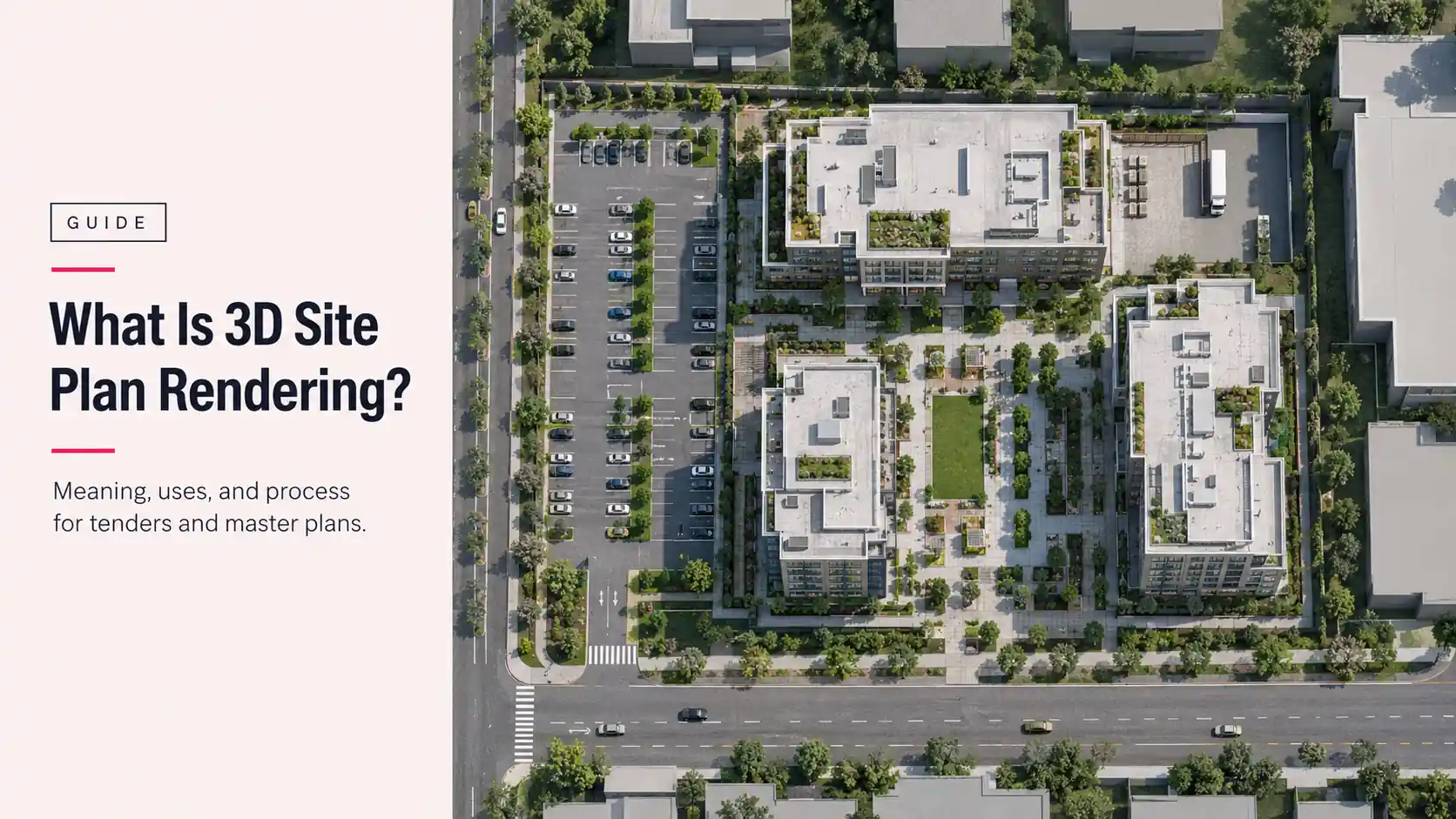
Picture a tender panel working through a stack of submissions with limited time for each one. The boards that land well are usually the ones where the whole site makes sense in a single image: where the buildings sit, how traffic gets in, where the green space goes. That image is a site plan rendering.
So, what is 3D site plan rendering? It’s the step that turns a technical site drawing into a top-down 3D image a planning board, jury, or investor can read in seconds. This guide covers what it is, how it differs from 2D site plans, aerials, master plans, and floor plans, where it’s used, and what evaluators expect in a commercial submission. If you want to see what a finished package looks like first, here’s a tender-ready site plan and massing package produced for a commercial development.
What Is 3D Site Plan Rendering? A Plain Definition
Site plan rendering is the process of turning a 2D site plan into a top-down 3D image of buildings, landscaping, parking, and circulation that anyone can read at a glance.
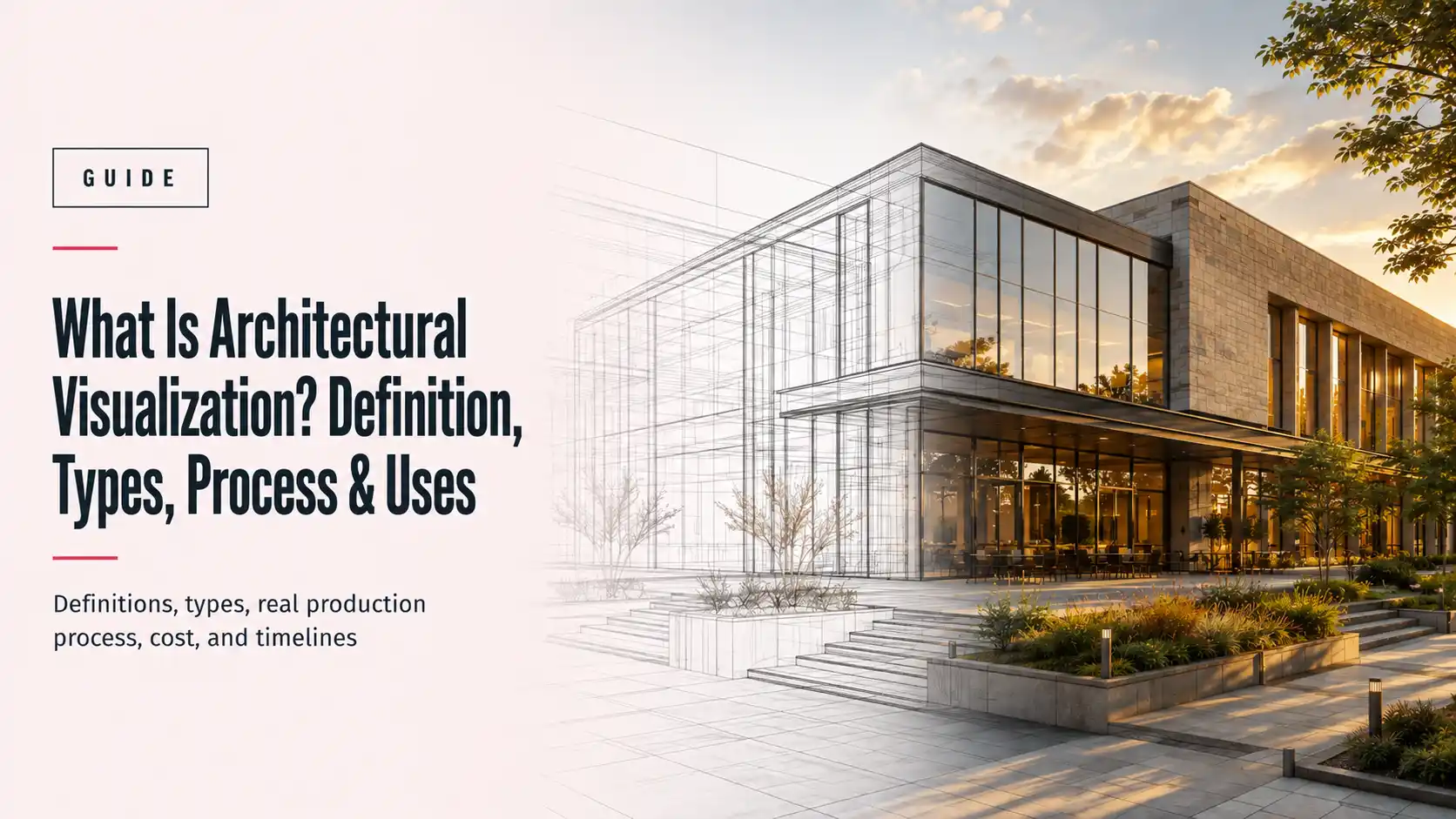
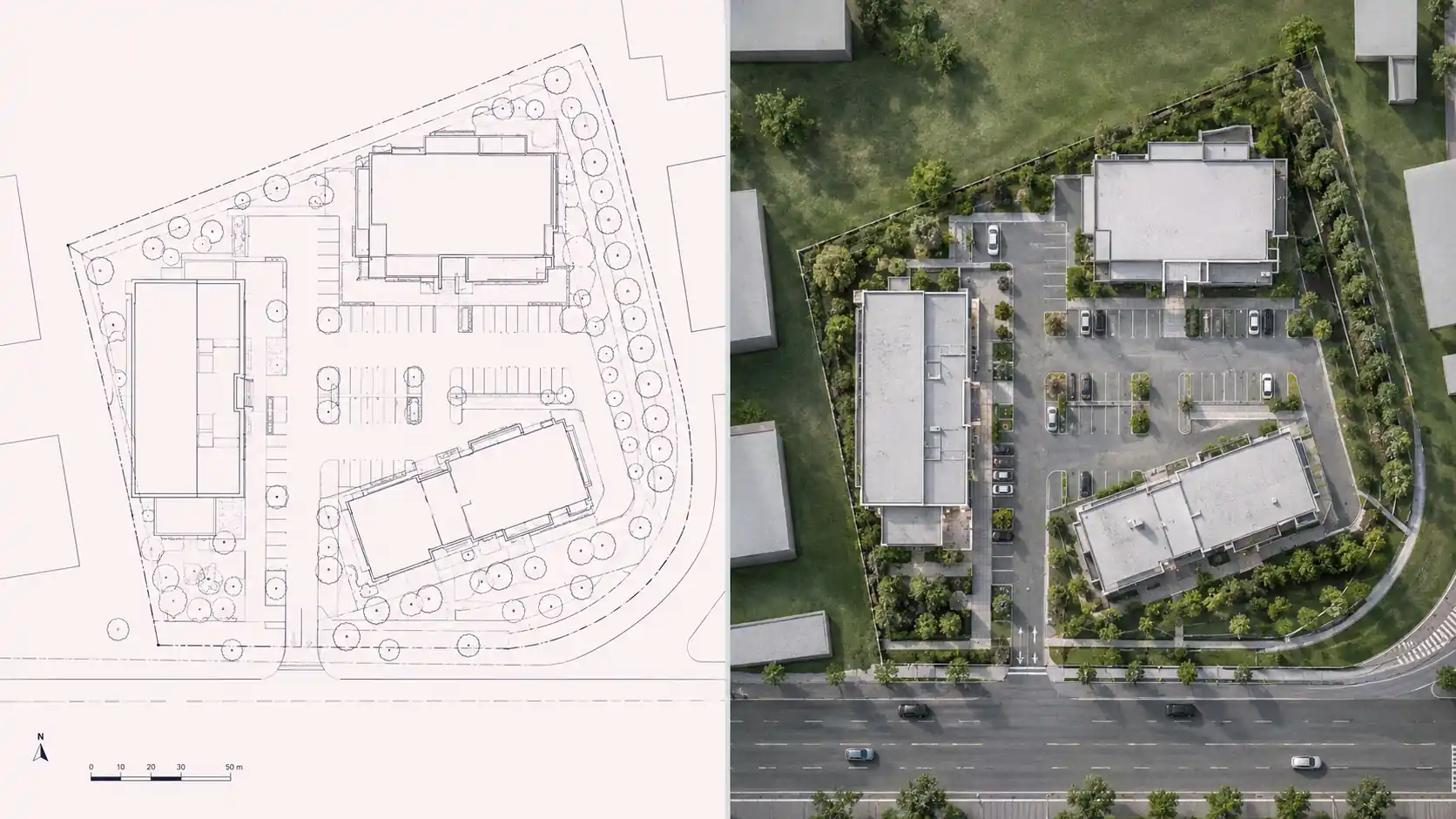
It isn’t a new design and it isn’t a construction document. The layout comes from the architect’s or engineer’s existing site plan. The rendering adds what that drawing leaves out: depth, real materials, shadows, trees, vehicles, and people at the right scale.
The “3D” part matters. A 3D site plan rendering is built from an actual 3D model of the site, not a colored-in drawing. That’s why shadows fall in the right direction, building heights read correctly, and the same model can produce an aerial view or a flyover later without starting over.
One drawing, two audiences.
Site Plan Rendering vs. 2D Site Plans: What’s the Difference?
A 2D site plan is a technical drawing. As Wikipedia’s entry on site plans puts it, it’s the drawing architects, landscape architects, planners, and engineers use to show existing and proposed conditions for a parcel. It’s precise, dimensioned, and written for people trained to read it.
A rendered site plan keeps that precision but changes the reader. The table below settles the 2D vs 3D site plan question by what each one can and can’t do, which is what actually decides which one goes into a submission.
| Criteria | 2D Site Plan | 3D Site Plan Rendering |
| Primary reader | Engineers, plan reviewers, contractors. Hard for non-technical reviewers to read quickly. | Juries, planning boards, investors, buyers. Not a substitute for sealed technical drawings. |
| Depth and height | None. Heights appear as notes or numbers only. | Building heights, shadows, and massing are visible at a glance. |
| Materials and landscaping | Symbols and hatching. | Real paving, roofing, planting, and water surfaces. |
| Dimensions and compliance data | Full setbacks, dimensions, and legal lines. This is its job. | Usually simplified or labeled only. Can’t be used to verify compliance. |
| Speed to understand | Minutes, with training. | Seconds, with no training. |
| Typical use | Permit sets, construction coordination, zoning review. | Tender boards, planning hearings, investor decks, sales galleries. |
| Reusability | Revised by the design team as the project changes. | Built from a 3D model that can also produce aerials, street views, and animation. |
Most commercial projects need both. The 2D site plan proves the project complies. The rendering makes people want to approve it.
How Is Site Plan Rendering Different From Aerial, Master Plan, and Floor Plan Rendering?
Four formats get confused constantly, and ordering the wrong one is an easy way to lose a week. Here’s how each one compares.
Site Plan Rendering vs. Aerial and Bird’s-Eye Renders
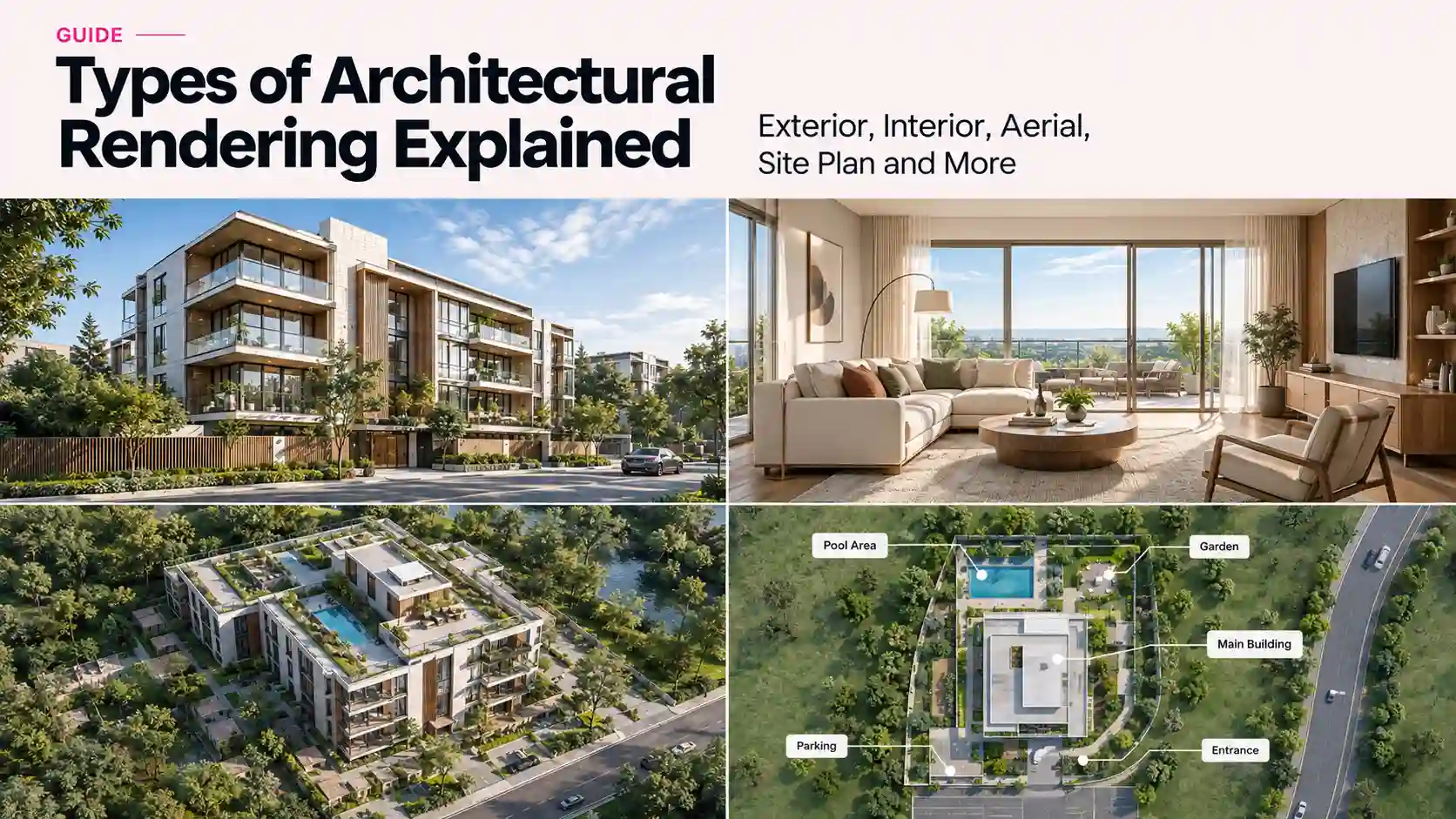
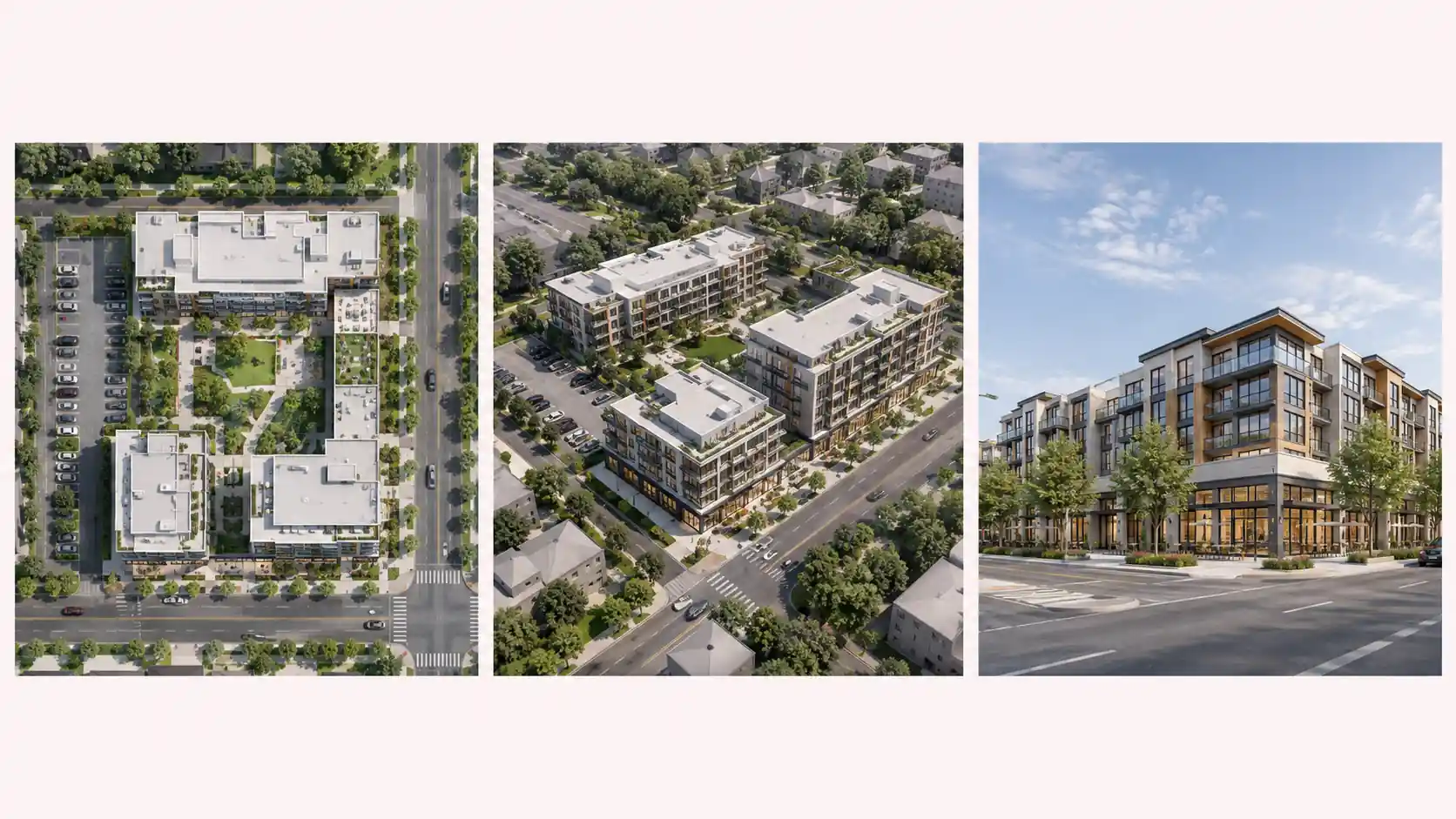
The difference is the camera angle. A site plan rendering looks straight down, at or close to 90 degrees, so the image reads like a map with real materials. An aerial or bird’s-eye render tilts the camera to roughly 30 to 60 degrees, so you see building facades, height, and skyline as well as the layout.
Top-down is better for explaining layout, parking counts, and circulation. Angled is better for showing architecture and how the project sits in its neighborhood. Tender packages usually include both, built from the same model. Archvizly’s aerial view rendering services cover the angled side of that pair.
Site Plan Rendering vs. Master Plan Rendering
Scale is the dividing line. A site plan rendering usually covers one project on one site: a mixed-use block, a hospital campus expansion, a 40-lot subdivision. Master plan rendering covers a whole district, community, or campus, often across many parcels and several years of phased construction.
Master plans need more context modeling, land-use color coding, and phasing diagrams that show what gets built when. A site plan rendering can be one sheet inside a master plan package, but not the other way around.
Site Plan Rendering vs. Floor Plan Rendering
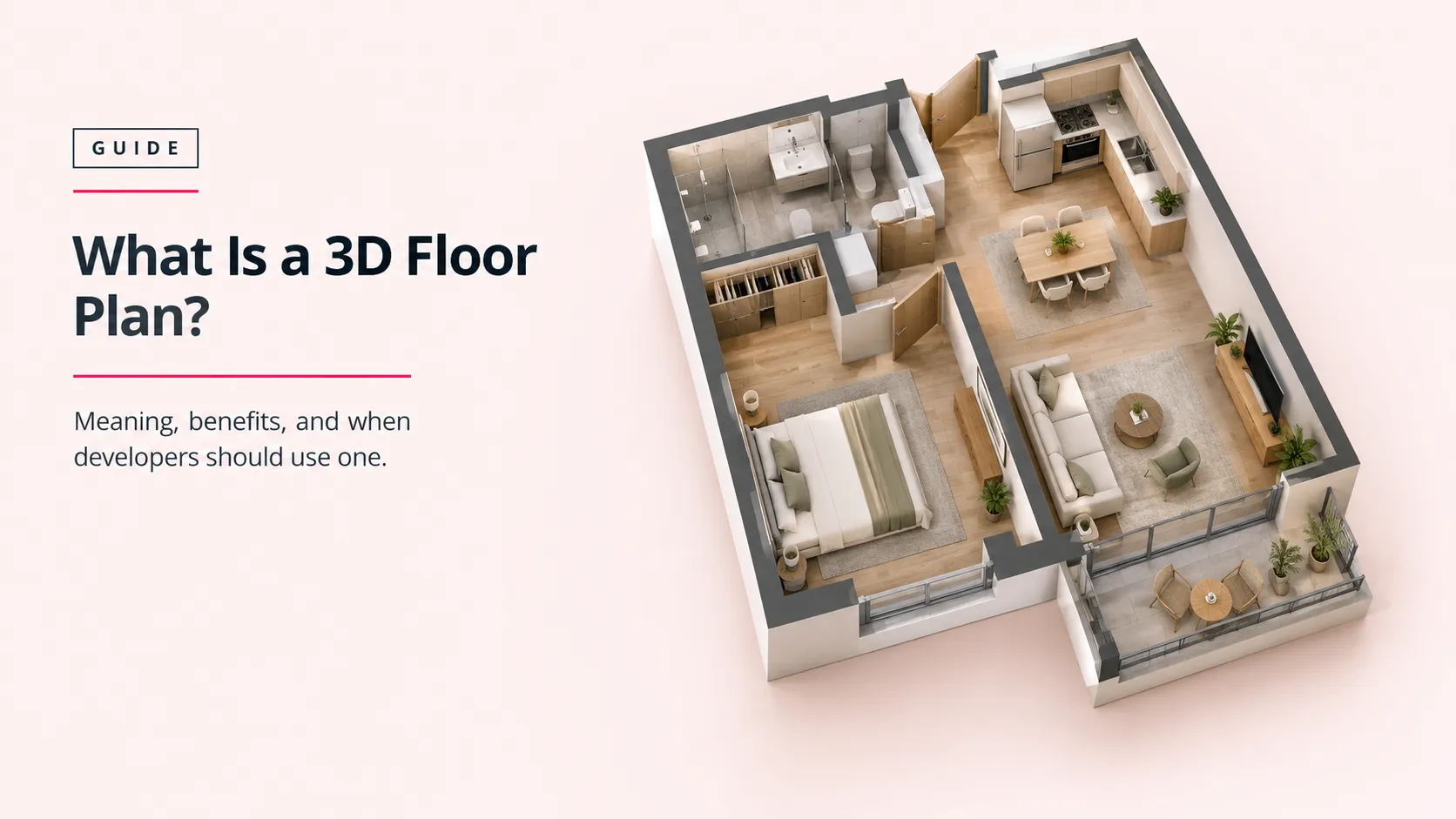
A site plan shows the land around and between buildings. A floor plan shows what’s inside one building, one level at a time. Site plans answer “how does this site work?” Floor plans answer “how does this unit or floor work?”
Developers often commission both for the same project, since buyers and investors ask both questions. If the interior layout is the priority, see our guide to what a 3D floor plan is and when it’s worth ordering.
How Does the Rendering Process Work?
If you’ve searched how to render a site plan, most answers assume you’ll do it yourself. For a commercial submission, the work usually runs through a production studio in five stages. This is an overview of the studio side, not a DIY tutorial, so you know what to prepare and when you’ll be asked for feedback.
- Input review. The studio checks the CAD site plan, massing or BIM model, landscape plan, and any RFP requirements, then flags missing data before modeling starts.
- 3D modeling. Terrain, building footprints, roads, parking layout, and hardscape are built at true scale. Context buildings and site boundaries go in here too.
- Materials, landscaping, and entourage. Paving, roofing, planting, water, vehicles, and people are added at the scale and density the project actually proposes.
- Rendering. The top-down camera is set, sun direction matched to true north, and the image is rendered at the resolution the final board or screen needs.
- Post-production and labeling. Color balancing, shadows, legends, labels, north arrow, and scale bar are added. Labeled and unlabeled versions are exported.
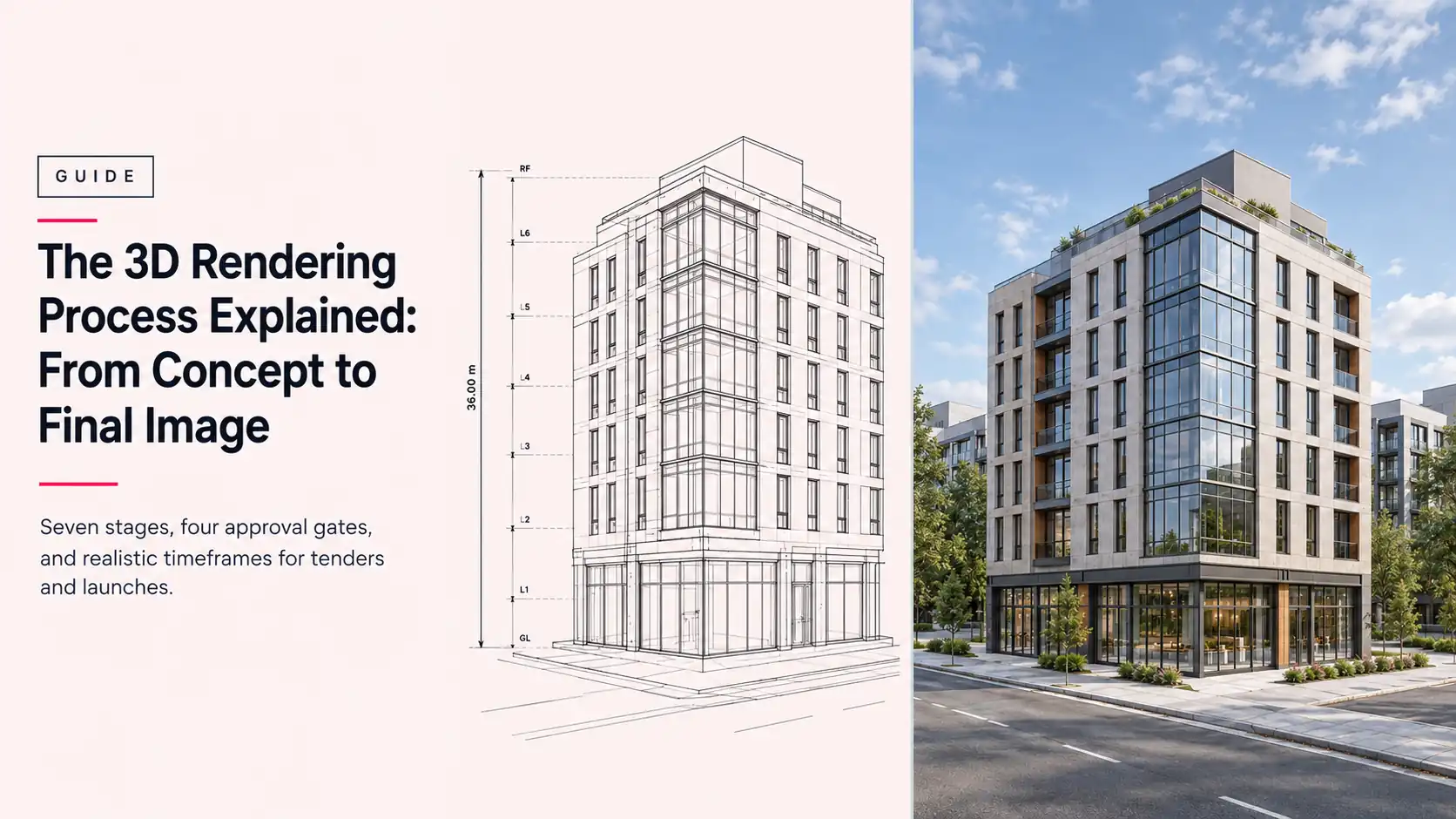
Most studios run a draft or “clay” review after modeling and a second review after the first full render, with two to three revision rounds included. The full stage-by-stage workflow is covered in our 3D rendering process guide.
What Software and File Formats Are Used?
Buyers don’t need to learn the software, but it helps to know what goes in and what comes out. On the input side, studios work from CAD drawings (DWG, DXF, or PDF), BIM models from Revit or ArchiCAD, and massing models from SketchUp or Rhino. Rendering itself usually happens in engines like 3ds Max with V-Ray or Corona, Blender, Lumion, or Twinmotion, with Photoshop for post-production.
What matters more for a submission is the delivery format. Ask for these by name:
| Format | What it’s for |
| PNG or high-quality JPEG | Final stills for boards, decks, and web. PNG for print boards, JPEG for email and slides. |
| EXR or layered PSD | High-dynamic-range or layered files your graphics team can adjust without re-rendering. |
| MP4 | Flyover or phasing animation built from the same site model. |
| .blend or FBX | The 3D model itself, for reuse in later phases, presentations, or other studios’ pipelines. |
| Your team’s final board layout. Most studios deliver images; the board is usually assembled by the design team. |
Ask about model ownership up front. Getting the FBX or .blend file means the next phase doesn’t start from zero.
Where Does AI Fit In?
AI tools can now turn a flat site plan into a stylized top-down image in minutes. For early site plan visualization, design discussions, and internal option studies, that’s useful and cheap.
The limits show up in submissions. AI image tools don’t read dimensions, setbacks, or true north, so they can shift building footprints, invent parking bays, or plant trees on top of utility easements. At least one AI site-plan tool vendor ranking for this topic says in its own FAQ that AI renders don’t replace technical modeling for construction-level detail.
In production work, AI is best as an assist: faster entourage, texture variation, or quick style tests on top of an accurate 3D model. For a tender or planning board, the model still has to be right. For a fuller comparison, see CGI vs AI rendering.
Fast isn’t the same as accurate.
Which Project Types Need a 3D Site Plan?
A 3D site plan fits any project where the relationship between buildings and land is part of the pitch. The emphasis changes by project type:
| Project type | What the rendering needs to show | Main audience |
| Residential subdivisions and multifamily | Lot layout, streets, driveways, open space, amenity areas, parking counts. | Planning boards, lenders, buyers. |
| Commercial and mixed-use | Building footprints, retail frontage, loading and service access, parking layout, pedestrian flow. | Tender panels, city councils, tenants, investors. |
| Master-planned communities | Land-use zones, phasing, road hierarchy, parks, schools, and future parcels. | Municipal authorities, investors, early buyers. |
| Resorts and hospitality | Guest arrival, villa or room clusters, pools, beach or landscape access, back-of-house separation. | Operators, investors, pre-opening marketing. |
| Institutional and campus | Building relationships, entrances, green space, circulation between buildings. | Boards, donors, public consultation. |
Site plan rendering for master-planned communities is the most demanding of these, because one image has to explain land uses, phasing, and years of future construction at once.
For commercial and mixed-use schemes, site plans usually sit alongside commercial rendering of the buildings themselves, so the site and the architecture read as one package.
What Is Site Plan Rendering Used For?
Three uses show up across almost every project: getting approval, raising money, and selling. Each one asks something different of the same image.
Use Case: Regulatory and Planning Board Approval
Planning boards review technical drawings for compliance, but board members and residents at a public hearing often aren’t trained to read them. For regulatory approval, a rendered site plan shows how the project meets zoning in plain view: where buildings sit relative to the street, how landscaping buffers neighbors, where the parking goes.
It supports the technical set, it doesn’t replace it. City checklists like Austin’s site plan submittal requirements ask for sealed plans with dimensioned building footprints, parking tables, landscape plans, and tree surveys. A rendering built from those same drawings stays consistent with them, which matters when a board compares the two side by side.
Use Case: Investor and Pre-Sales Presentations
Investors want to understand scale, density, and phasing quickly. A single top-down image answers “how big is this, and what goes where?” faster than any spreadsheet. For site plan rendering for investor presentations, the useful extras are phase overlays, a clean unlabeled version for a deck cover, and a labeled version for the detail slide.
The same image often carries into pre-sales, where buyers want to see where their unit or lot sits relative to amenities and roads.
Use Case: Marketing Materials
Sales galleries, brochures, billboards, and project websites use site plan renderings as the orientation map. In a master-planned community, it’s often the first thing a buyer sees, before any exterior or interior image. Marketing versions usually get softer styling, lifestyle entourage, and amenity callouts that a planning version wouldn’t carry.
Same model, different outputs.
What Do Juries and RFP Evaluators Actually Expect From a Site Plan Rendering?
This is where most online guides stop, and where tender and competition submissions are actually won or lost. Evaluators aren’t grading how pretty the image is. They’re checking whether it answers the brief, whether it’s accurate, and whether they can read it quickly.
On public projects, evaluators are often practicing professionals. The U.S. General Services Administration’s Design Excellence Program, for example, uses a National Register of Peer Professionals from private practice to advise on procurement and critique projects. Reviewers like that will notice a footprint that doesn’t match the plans.
Across competitions and RFPs, these expectations come up again and again:
- Compliance with the brief’s format. Required sheet size, number of boards, view types, and file specs. A beautiful image in the wrong format can be disqualified before it’s judged.
- Anonymity rules. Many open design competitions require submissions without firm names, logos, or identifying marks on the boards. Check before the studio adds a title block.
- Accuracy against the site. Correct north orientation, real site boundaries, setbacks that match the drawings, and existing context buildings where they actually are.
- Legibility at viewing distance and thumbnail size. Boards get pinned on walls and scrolled on screens. Labels, legends, and hierarchy need to hold up at both.
- Consistency across views. The site plan, aerials, and street views should show the same buildings, materials, and planting. Mismatches raise questions evaluators then ask in writing.
- Clear phasing. If the project builds out in stages, evaluators want to see what exists at each phase, not just the finished vision.
- Honest entourage. Trees at 10-year maturity on a day-one image, or an empty parking lot at peak hour, read as spin to experienced reviewers.
For a wider look at what makes competition visuals score, see our guide to architecture competition renderings.
Accuracy wins before beauty does.
Deliverable Checklist for a Commercial Site Plan Rendering Submission
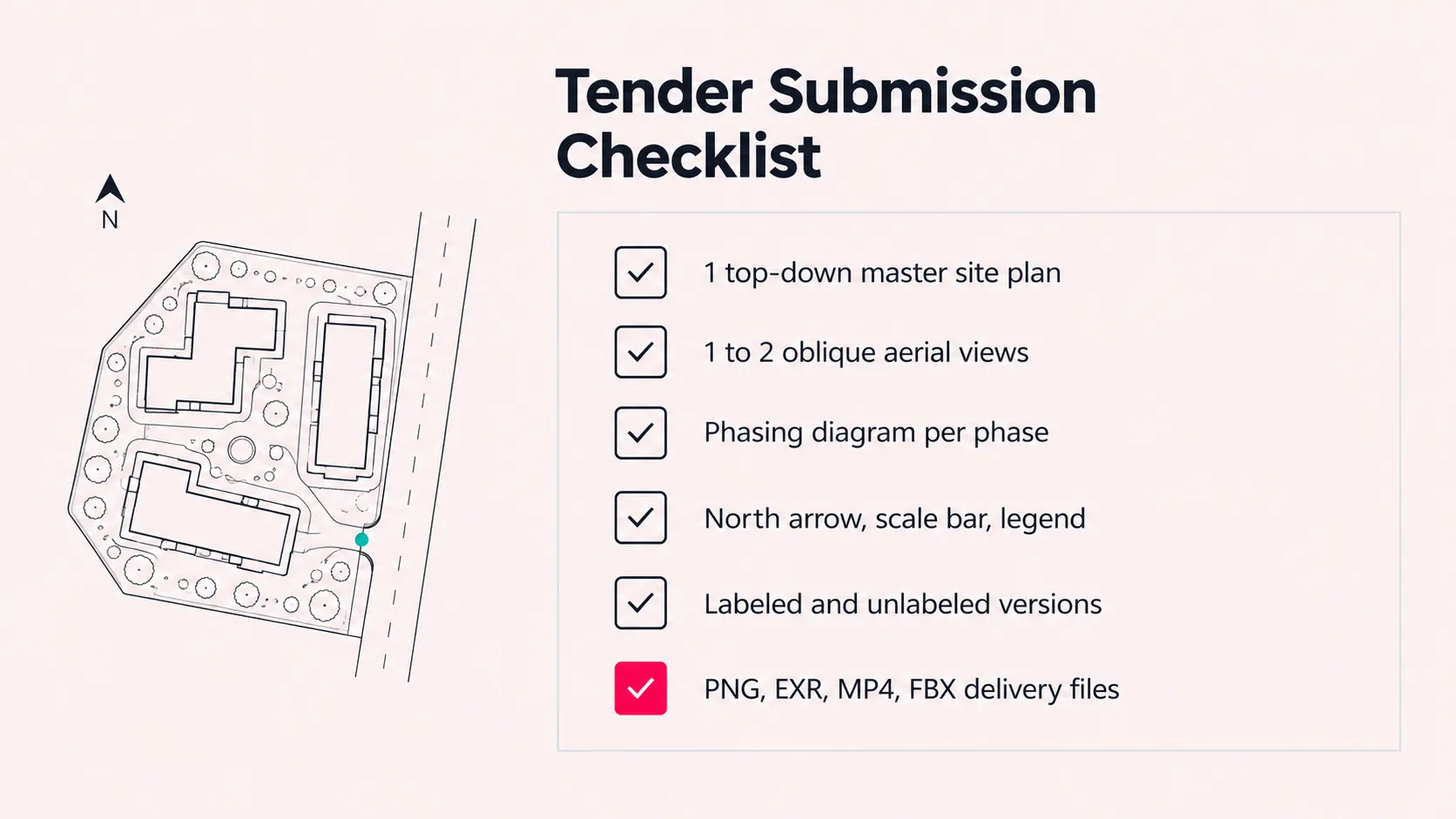
Use this as a starting brief for a multi-building commercial tender or competition. Adjust the counts to what the RFP actually asks for; where the brief is silent, this is a sensible default package.
Views and Angles
- 1 top-down master site plan rendering (the anchor image)
- 1 to 2 oblique aerial or bird’s-eye views from the most important approaches
- 1 to 3 eye-level context views (main entrance, street frontage, key public space) if the brief allows
- 1 phasing diagram per construction phase, built from the same model
- Optional day and dusk versions of the hero aerial
Labeling and Conventions
- North arrow and graphic scale bar on every top-down view
- Legend for land uses, building types, or phases, with colors that match the design team’s drawings
- Building and zone labels in the RFP’s naming convention
- Labeled and unlabeled versions of every still
- Site boundary, setbacks, and access points marked where the brief requires them
- No firm names or logos on boards for anonymous competitions
Files and Resolution
- Print stills at 300 dpi at final board size. A 24 x 36 inch board at 300 dpi needs roughly 7,200 x 10,800 pixels.
- PNG or high-quality JPEG for boards and decks, plus EXR or layered PSD for your graphics team
- MP4 if a flyover or phasing animation is requested
- FBX or .blend model file for reuse in later stages
Realistic Turnaround
For a multi-building commercial submission, plan on 2 to 4 weeks from confirmed source files to final delivery, and about 10 to 14 days on a rushed schedule. Build in at least two review rounds and a buffer of a few days before the lodgement date for board layout and printing.
The single biggest time-saver is sending the RFP rules with the CAD files on day one. Our 3D rendering brief checklist covers the full list of source files a studio needs.
What Mistakes Do Firms Make When Commissioning These Renderings?
Most problems with site plan renderings trace back to the brief, not the rendering. These are the ones that cost teams the most time close to a deadline:
- Sending an outdated CAD file. The design moves on, the rendering doesn’t, and the mismatch shows up in the final review week.
- Holding back the RFP rules. Sheet sizes, required views, and anonymity rules change how the image is composed. Sharing them late means re-rendering.
- Booking too late. A master-plan scene needs weeks, not days. Starting ten days out forces rush fees and fewer review rounds.
- Over-styling the image. Heavy color grading and dense entourage can bury the parking layout, access, and phasing the evaluators actually need to see.
- Inconsistent scale or north between views. If the site plan and the aerial disagree, reviewers notice and trust both less.
- No unlabeled version. Decks, brochures, and later marketing all need a clean image. Asking for it after delivery often means paying again.
- Skipping context. A building shown on an empty site hides the neighbors, roads, and constraints a planning board will ask about anyway.
A rushed brief costs more than a rush fee.
How Much Does Site Plan Rendering Cost, and How Long Does It Take?
If you search for prices online, the most visible number is usually around $299. That figure is real, but it’s for a small residential CAD site plan, typically for a homeowner’s permit. It’s a different product from a photorealistic 3D site plan rendering for a commercial tender or master plan.
For commercial and master-plan work, Archvizly’s architectural rendering cost guide puts typical market ranges at:
| Deliverable | Typical range (USD) | Typical turnaround |
| Residential CAD site plan (permit tier) | From about $299 | A few days |
| Site plan or master plan rendering, standard | $1,000 to $3,000 per image | 2 to 4 weeks for commercial scale |
| Site plan or master plan rendering, complex or multi-building | $3,000 to $8,000 per image | 2 to 4 weeks; 10 to 14 days rushed |
| Aerial or bird’s-eye view | $800 to $2,000 standard, up to $4,000 complex | Often produced alongside the site plan |
| Extra revision round beyond those included | $100 to $400 each | 1 to 3 days per round |
| Rush delivery | 25% to 50% premium | Depends on scope |
Put together, a typical tender package of one site plan rendering, two aerials, and a set of phasing variants runs roughly $3,500 at the simple end to $15,000 or more for a complex multi-building scheme. That’s an estimate built from the ranges above, not a quote; scope, detail, and deadline move it in both directions.
The main cost drivers are site size and number of buildings, how much surrounding context needs modeling, landscaping density, the number of views and phases, and how close the deadline is. For more detail on scheduling, see how long 3D rendering takes.
Who Should Produce These Renderings, and When Should You Bring In a Production Partner?
There are four realistic ways to get site plan renderings made. Each one fits a different workload, and the right answer depends less on budget than on how often your deadlines land.
| Route | Where it fits | Where it breaks down |
| In-house visualization team | Steady, year-round pipeline that keeps dedicated staff busy. | Deadline clusters. Three tenders due the same month overwhelm a fixed team. |
| DIY AI tools | Internal option studies and early design conversations. | Accuracy. Not reliable for dimension-sensitive tender or planning submissions. |
| Individual freelancer | One-off, smaller projects with flexible timing. | Capacity and continuity across multi-building, multi-phase work. |
| Outsourced production partner | Recurring tender and competition deadlines, peak-season overflow, multi-view packages. | Needs a clear brief and a single point of contact on your side to work well. |
A production partner makes the most sense when your firm submits regularly, deadlines cluster, and you’d rather not hire for peak load. A white-label production partner works behind the scenes, delivers in your file conventions, and your firm’s name goes on the submission, not the studio’s.
That’s the model Archvizly runs for architecture firms, construction companies, and developers across the United States, UAE, and Europe: site plan rendering, aerials, and commercial renders produced to the brief, under your name, with confidentiality built in. It’s also why we never compete with our clients for their end customers. If you’re weighing the move, our guide on outsourcing architectural rendering walks through the trade-offs.
Your deadline, your name, our production.
Site Plan Rendering FAQ
What is a rendered site plan?
A rendered site plan is a site plan drawing turned into a colored, textured, top-down image that shows buildings, roads, parking, landscaping, and shadows the way they will actually look. It carries the same layout as the technical 2D plan, but it’s built for people who don’t read CAD drawings: planning boards, juries, investors, and buyers.
Can I use a rendered site plan for a planning submission?
Yes, as a supporting exhibit, but not as a replacement for the stamped technical site plan. Planning departments review dimensioned, sealed drawings for compliance. A rendered site plan sits alongside them to help board members and the public understand what’s being proposed. Check the authority’s submittal checklist first, since some specify format, sheet size, or whether illustrative exhibits are accepted at all.
How much do site plan rendering services cost?
For commercial and master-plan work, a single photorealistic site plan rendering typically runs about $1,000 to $3,000, with complex multi-building or master-plan scenes reaching $3,000 to $8,000. A tender package with a site plan, two aerials, and phasing variants runs roughly $3,500 at the simple end to $15,000 or more for a complex multi-building scheme. The $299-style prices seen online are for small residential CAD site plans, which is a different product.
How long does site plan rendering take?
A commercial or master-plan site plan rendering typically takes 2 to 4 weeks from confirmed source files to final delivery, or about 10 to 14 days on a rushed schedule. Simple residential site plans can turn around in a few days. Most delays come from late or changing source files, not from rendering time.
What’s the difference between a 2D site plan and a 3D site plan rendering?
A 2D site plan is a flat, dimensioned technical drawing used for permits and construction. A 3D site plan rendering uses the same layout but adds depth, materials, lighting, shadows, and landscaping so a non-technical audience can read the site in seconds. Most projects need both: the 2D plan for compliance, the rendering for persuasion.
Is site plan rendering the same as master plan rendering?
No. Site plan rendering usually covers one parcel or project site: its buildings, parking, access, and landscaping. Master plan rendering covers a whole district, campus, or community across many parcels, often with land-use zones and phasing across years. The techniques overlap, but master plans need more context, more labeling, and usually phasing diagrams.
What files do I need to send for a site plan rendering?
At minimum, the current CAD site plan (DWG or PDF), building footprints and heights or a massing model (Revit, SketchUp, or similar), a landscape plan if one exists, and any material or planting references. For a tender, also send the RFP’s submission rules: sheet sizes, required views, labeling, and deadline.
Can site plan renderings be used for investor presentations?
Yes. Investor decks are one of the most common uses, because a single top-down image shows scale, density, parking, amenities, and phasing faster than any spreadsheet. For investor work, a clean labeled version plus an unlabeled version for the deck’s cover or backdrop is a practical standard.
A site plan rendering is often the first image a jury, board, or investor looks at, and the one they come back to when they’re comparing submissions. If you have a tender or competition coming up, send us the CAD site plan, the RFP’s submission rules, and your deadline. We’ll come back with a scoped quote for a full site plan package: top-down, aerials, and phasing, delivered under your name. Get a quote for your tender rendering package.